Boost Your Wi-Fi Speed by 40%: Router Optimization Guide 2026

 Achieving a significant boost in your Wi-Fi speed, potentially up to 40%, is attainable by implementing strategic router optimization techniques and understanding network fundamentals for seamless connectivity in 2025.
Are you tired of buffering videos, dropped calls, and slow downloads? You’re not alone.
Many American households struggle with underperforming Wi-Fi, despite paying for high-speed internet. This guide will show you how to boost your Wi-Fi speed by 40%: the ultimate router optimization guide for 2025, transforming your online experience.
Understanding Your Current Wi-Fi Landscape
Before diving into optimizations, it’s crucial to understand the current state of your home network. Many factors influence Wi-Fi performance, from your internet service provider (ISP) to the physical layout of your home.
Identifying these foundational elements can pinpoint initial areas for improvement.
A common misconception is that a faster internet plan automatically translates to faster Wi-Fi throughout your home.
While a good internet connection is essential, your router acts as the bridge between that connection and your devices. If this bridge is inefficient, even the fastest internet can feel sluggish.
Evaluating your ISP plan and modem
Your internet service provider delivers a certain bandwidth to your home. It’s worth checking if your current plan meets your household’s demands. Streaming 4K content, online gaming, and multiple smart devices all consume significant bandwidth.
Verify your subscribed speed with your ISP.
Run speed tests using a wired connection directly to your modem to assess raw internet speed.
Ensure your modem is up-to-date and compatible with your internet plan.
Assessing your router’s capabilities
Your router’s age and specifications play a significant role. Older routers might not support newer Wi-Fi standards, like Wi-Fi 6 or Wi-Fi 6E, which offer substantial speed and efficiency improvements. A router that’s several years old might be a bottleneck, regardless of your internet plan.
Furthermore, the number of devices connected to your network can impact performance.
Each device competes for bandwidth, and an older router might struggle to manage numerous simultaneous connections efficiently. Understanding these limitations is the first step towards a faster, more reliable Wi-Fi experience.
In essence, a thorough assessment of your existing setup – from your ISP plan to your router’s hardware – provides the necessary foundation for targeted and effective optimization strategies. This initial diagnostic phase is critical for maximizing your Wi-Fi potential.
Strategic Router Placement for Optimal Signal
The physical location of your router is often overlooked but profoundly impacts Wi-Fi signal strength and coverage. Even the most advanced router can underperform if placed incorrectly. Optimizing its position can lead to immediate and noticeable improvements in your connection.
Think of your Wi-Fi signal as a light bulb; it emanates outwards in all directions. Walls, furniture, and even certain appliances can act as obstacles, blocking or weakening the signal. Therefore, strategic placement involves minimizing these interferences and maximizing signal propagation throughout your living space.
Centralizing your router’s position
The ideal location for your router is as central as possible within your home. This ensures a more even distribution of the Wi-Fi signal to all corners and rooms.
Avoid placing it in corners, closets, or basements, as these locations inherently restrict signal reach.
Place the router in an open area, not tucked away in a cabinet.
Elevate the router, ideally on a shelf or desk, to avoid obstruction from furniture.
Consider the layout of your home and place it equidistant from frequently used devices.
Minimizing interference and obstructions
Beyond centrality, reducing interference is paramount. Many household items emit electromagnetic waves that can disrupt Wi-Fi signals.
Common culprits include cordless phones, microwave ovens, and even certain baby monitors.
Physical obstructions like thick walls, metal objects, and large appliances also degrade signal quality. Concrete or brick walls are notorious signal blockers.
Positioning your router away from these elements can significantly improve performance. Sometimes, a few feet can make a considerable difference in overall signal strength and stability.
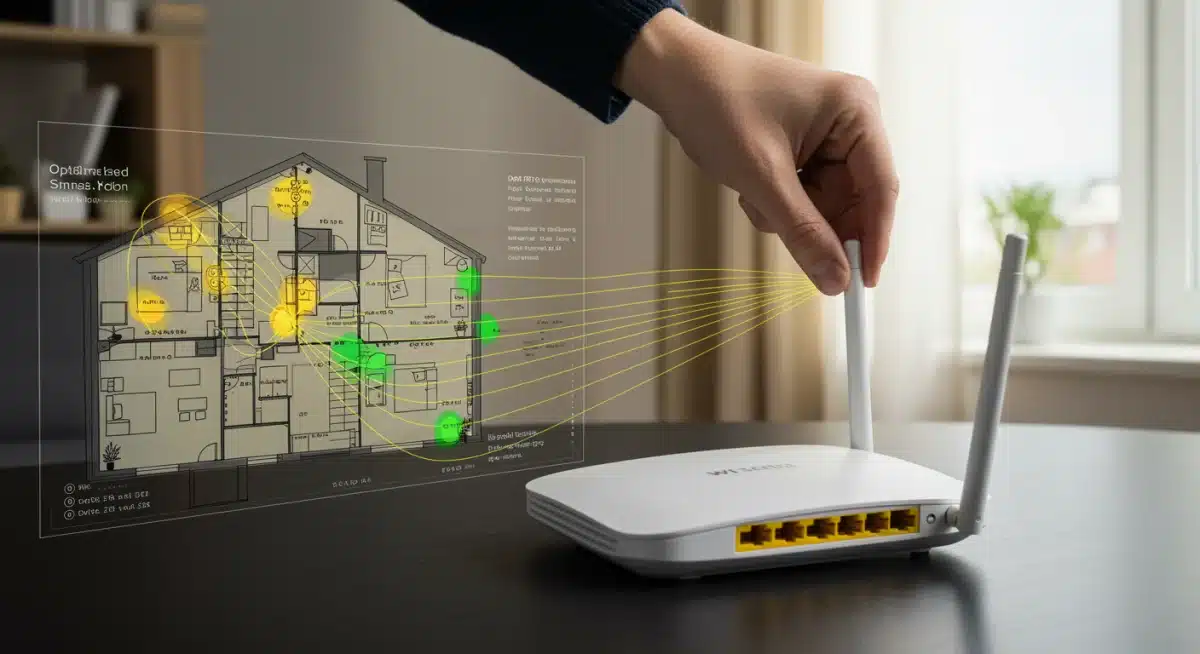
Ultimately, strategic router placement is a cost-free yet highly effective method to enhance your Wi-Fi. By carefully considering centrality, elevation, and potential sources of interference, you can ensure your router’s signal reaches as many devices as possible with maximum strength.
Advanced Router Settings and Configuration
Beyond physical placement, delving into your router’s settings can unlock significant performance gains.
Most routers come with default configurations that are not optimized for specific environments or user needs. Adjusting these settings can fine-tune your network for speed and efficiency.
Accessing your router’s administrative interface, typically through a web browser, allows you to customize various parameters. This deep dive into your router’s brain is where you can truly tailor your Wi-Fi to suit your lifestyle and devices, making a substantial difference in overall performance.
Optimizing Wi-Fi channels and frequencies
Wi-Fi operates on specific channels. In congested areas, neighboring Wi-Fi networks can use the same channels, leading to interference and slower speeds. Manually selecting less congested channels can significantly improve your connection.
Use a Wi-Fi analyzer app to identify the least crowded channels on both 2.4 GHz and 5 GHz bands.
For 2.4 GHz, stick to channels 1, 6, or 11 to avoid overlap.
For 5 GHz, there are more non-overlapping channels; choose one that is not heavily used.
Leveraging Quality of Service (QoS) settings
Quality of Service (QoS) allows you to prioritize certain types of network traffic. If you frequently stream 4K video or engage in online gaming, QoS can allocate more bandwidth to these activities, ensuring a smoother experience even when other devices are active.
Configuring QoS involves identifying which applications or devices are most critical and then assigning them higher priority.
This prevents less urgent tasks, like background updates, from hogging bandwidth when you need it most. Properly configured QoS can make your network feel much faster for your primary activities.
By taking advantage of these advanced settings, you transform your router from a generic signal broadcaster into a finely tuned instrument.
Channel optimization and QoS implementation are powerful tools for maximizing your Wi-Fi’s potential and ensuring a consistent, high-speed connection tailored to your needs.
Upgrading Your Wi-Fi Hardware
Sometimes, software optimizations and ideal placement aren’t enough. If your router is old or your home is large, investing in new hardware can be the most impactful way to boost your Wi-Fi speed.
Modern routers and networking solutions offer significant advancements in speed, coverage, and stability.
The technology behind Wi-Fi is constantly evolving. A router purchased five years ago simply cannot compete with the capabilities of a new model supporting the latest standards.
Upgrading your hardware is not just about getting a new device; it’s about embracing future-proof technology designed for today’s demanding internet usage.
Considering Wi-Fi 6 and Wi-Fi 6E routers
Wi-Fi 6 (802.11ax) offers substantial improvements over previous standards, including higher speeds, better performance in congested environments, and enhanced efficiency for multiple devices. Wi-Fi 6E takes this a step further by adding support for the 6 GHz band, which is less congested and offers even higher speeds and lower latency.
Wi-Fi 6 provides faster speeds and better handling of multiple devices.
Wi-Fi 6E utilizes the exclusive 6 GHz band, minimizing interference.
Ensure your devices (laptops, phones) also support Wi-Fi 6/6E to fully benefit.
Exploring Mesh Wi-Fi systems
For larger homes or those with dead zones, a single router often isn’t enough. Mesh Wi-Fi systems use multiple access points to create a seamless, whole-home network. These systems eliminate dead spots and provide consistent high-speed Wi-Fi everywhere.
Unlike traditional range extenders, mesh systems create a single, unified network, so your devices automatically switch to the strongest signal as you move around your home.
This provides a much more robust and reliable connection, especially in multi-story houses or sprawling layouts. It’s a significant investment but often pays off in dramatically improved coverage and performance.
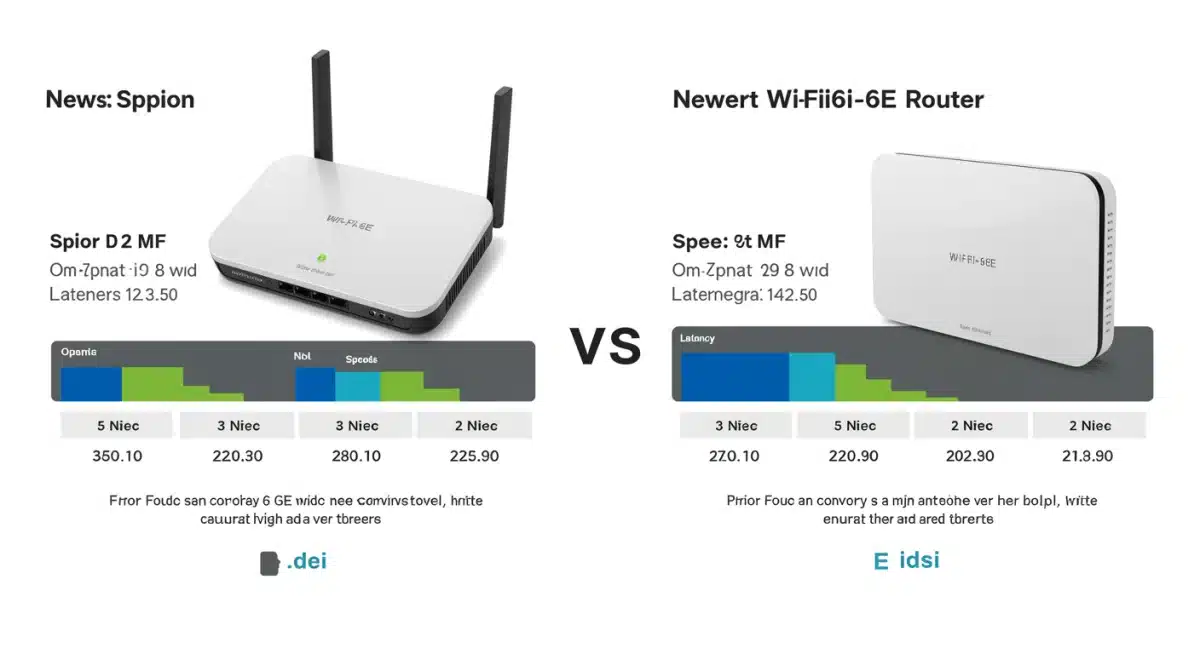
Ultimately, while software tweaks are valuable, hardware upgrades offer the most dramatic gains in Wi-Fi performance.
Investing in a modern router or a mesh system ensures your network is robust, fast, and ready to handle the demands of 2025’s connected home.
Minimizing Network Congestion and Interference
Even with optimal placement and advanced hardware, network congestion and interference can degrade your Wi-Fi performance.
Understanding and mitigating these factors is essential for maintaining a fast and stable connection, especially in densely populated areas.
Interference isn’t just from other Wi-Fi networks; it can come from various electronic devices in your home.
Managing these sources and ensuring your network isn’t unnecessarily burdened can significantly improve your overall Wi-Fi experience, leading to a smoother connection.
Dealing with neighboring Wi-Fi networks
In apartments or dense neighborhoods, numerous Wi-Fi networks can overlap, causing signal degradation. Choosing a less congested channel, as discussed earlier, is a primary strategy.
However, you can also adjust your router’s transmission power if it’s too strong for your immediate needs, reducing interference with others and potentially improving your own network’s clarity.
Additionally, ensuring your router’s firmware is up-to-date can sometimes provide better algorithms for managing channel interference automatically.
Regularly scanning for optimal channels and making manual adjustments when necessary can keep your network running smoothly despite external congestion.
Identifying and reducing device interference
Beyond other Wi-Fi networks, many common household items can interfere with your signal. Microwaves, cordless phones, Bluetooth devices, and even fluorescent lights can all operate on frequencies that overlap with Wi-Fi, particularly the 2.4 GHz band.
Keep your router away from microwave ovens and cordless phone bases.
If possible, use wired Ethernet connections for stationary devices like smart TVs or gaming consoles to free up Wi-Fi bandwidth.
Consider switching older devices to the 5 GHz band if they support it, as it’s generally less susceptible to these types of interference.
By actively managing both external network congestion and internal device interference, you create a clearer, more stable environment for your Wi-Fi signal. This proactive approach helps maintain high speeds and reliability, ensuring your network performs at its peak.
Securing Your Wi-Fi Network

A secure Wi-Fi network is not just about protecting your data; it also plays a critical role in maintaining optimal speed and performance.
An unsecured or poorly secured network can become a free-for-all, with unauthorized users consuming your bandwidth and slowing down your connection for legitimate users.
Think of your Wi-Fi as a private road to your digital home.
If that road is left open, anyone can drive on it, causing traffic jams. Implementing strong security measures prevents freeloaders and potential malicious actors from impacting your network’s efficiency and your online experience.
Using strong encryption and passwords
The first line of defense is robust encryption. Always use WPA3 or WPA2-AES encryption. WEP and older WPA protocols are easily crackable and should be avoided. A strong, unique password for your Wi-Fi network is equally important, preventing unauthorized access.
Enable WPA3 encryption if your devices and router support it. Otherwise, use WPA2-AES.
Create a complex Wi-Fi password that combines uppercase and lowercase letters, numbers, and symbols.
Change the default administrator password for your router to prevent unauthorized access to its settings.
Implementing guest networks and MAC filtering
Most modern routers offer a guest network feature, which provides internet access to visitors without giving them access to your main network or connected devices.
This isolates guest traffic, preventing them from potentially slowing down your primary connection.
MAC address filtering allows you to specify which devices are permitted to connect to your network based on their unique hardware address.
While not foolproof, it adds an extra layer of security and can help prevent unknown devices from joining. These measures, combined with strong passwords, form a comprehensive security strategy that protects your bandwidth and boosts your Wi-Fi speed.
By prioritizing network security, you not only safeguard your personal information but also ensure that your valuable bandwidth is exclusively used by your authorized devices.
A secure network is an efficient network, contributing directly to a faster and more reliable Wi-Fi experience for everyone in your home.
Regular Maintenance and Firmware Updates
Just like any other piece of technology, your Wi-Fi router benefits significantly from regular maintenance and timely firmware updates.
Neglecting these simple steps can lead to decreased performance, security vulnerabilities, and an overall less reliable network experience.
Think of router maintenance as preventative care for your network. A well-maintained router runs more efficiently, adapts to new internet standards, and remains secure against emerging threats.
This consistent attention ensures your Wi-Fi continues to perform at its peak, providing the fast and stable connection you expect.
Keeping router firmware up-to-date
Router manufacturers frequently release firmware updates to fix bugs, improve performance, and patch security vulnerabilities.
Running outdated firmware can leave your network exposed and prevent you from benefiting from the latest optimizations. Always check for updates.
Periodically log into your router’s administration panel to check for available firmware updates.
Follow the ma
Keeping Router Firmware Up to Date for a Performance Boost
Keeping your router’s firmware up to date is one of the most effective ways to achieve a reliable speed boost and maintain a secure home network.
Router manufacturers regularly release firmware updates to fix bugs, enhance performance, and patch security vulnerabilities. Running outdated firmware can limit your Wi-Fi boost potential and leave your network exposed to threats.
To maintain a consistent performance boost, periodically log in to your router’s administration panel and check for available firmware updates.
Applying these updates ensures you benefit from the latest optimizations designed to improve stability, speed, and device handling.
When updating firmware, always follow the manufacturer’s instructions carefully to avoid interruptions or configuration issues.
If your router supports automatic updates, enabling this feature can provide an ongoing performance boost with minimal effort—keeping your network fast, stable, and secure at all times.
ufacturer’s instructions carefully when performing updates to avoid issues.
Enable automatic updates if your router supports this feature for convenience.
Rebooting Your Router Periodically for a Speed Boost
A simple router reboot can often deliver an immediate performance boost and resolve many common Wi-Fi issues.
Over time, routers—like computers—accumulate temporary data and background processes that gradually slow performance. A quick power cycle clears these caches, refreshes network connections, and helps restore optimal speed and stability.
For a consistent Wi-Fi boost, it’s recommended to reboot your router at least once a month, or more frequently if you notice drops in performance. This quick action is one of the easiest and most effective troubleshooting steps, often saving time and reducing frustration.
By making regular reboots part of your routine, you help maintain the speed boost gained from other optimization techniques.
When combined with firmware updates and basic maintenance, this habit ensures your router stays in top condition—delivering a fast, stable, and secure Wi-Fi experience over the long term.
| Key Optimization | Benefit |
|---|---|
| Strategic Placement | Maximizes signal coverage and strength throughout your home. |
| Channel Optimization | Reduces interference from neighboring networks, improving speed. |
| Hardware Upgrade | Leverages Wi-Fi 6/6E or Mesh for significantly faster speeds and coverage. |
| Regular Maintenance | Ensures long-term stability, security, and peak performance. |
Frequently Asked Questions About Wi-Fi Optimization and Boost
How often should I reboot my router for a speed boost? ▼
Rebooting your router at least once a month can deliver a noticeable performance boost by clearing temporary caches and resolving minor connectivity issues. If you experience frequent slowdowns, a weekly reboot may provide an additional speed boost.
Is Wi-Fi 6E worth the upgrade for a speed boost in 2025? ▼
Yes, upgrading to Wi-Fi 6E in 2025 can offer a significant speed boost, especially in crowded environments. The dedicated 6 GHz band reduces interference, improves speeds, and lowers latency for demanding activities like gaming and streaming.
Can smart home devices reduce my Wi-Fi boost potential? ▼
A large number of smart home devices can limit your Wi-Fi boost by increasing network congestion. While each device uses minimal bandwidth, their combined activity can impact performance. Routers with strong multi-device management or mesh systems help maintain a consistent speed boost.
What’s the best way to check if my Wi-Fi boost worked? ▼
To measure your Wi-Fi boost, use a reliable online speed test such as Speedtest.net. Test multiple devices in different rooms and at various times to accurately assess performance improvements.
Should I use a Wi-Fi extender or a Mesh system for a better boost? ▼
For the best overall Wi-Fi boost, a mesh system is usually the superior choice. Unlike extenders, which can reduce speeds, mesh systems create a single, seamless network that delivers stronger coverage and consistent performance throughout your home.
Conclusion
Achieving a meaningful boost in your Wi-Fi speed—potentially up to 40%—is entirely achievable when you apply the strategies outlined in this guide.
With the right approach, even small adjustments can deliver a noticeable boost in performance and reliability.
From understanding your current network setup and optimizing router placement to fine-tuning advanced settings, upgrading key hardware, reducing signal interference, and strengthening network security, each step plays a role in delivering a consistent speed boost.
Together, these optimizations create a faster, more stable home network.
By embracing these proven techniques, you can enjoy a powerful Wi-Fi boost that supports seamless streaming, responsive gaming, and productive work-from-home setups in 2025—turning slow connections into a thing of the past.