How to Create a Website: Your Step-by-Step for Beginners

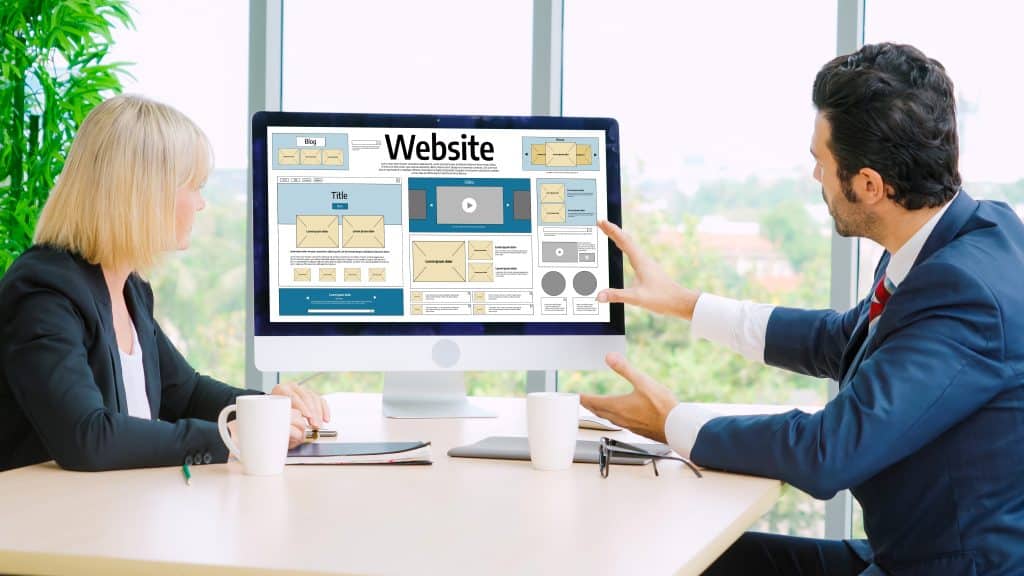 Creating a website involves several key steps, from selecting a domain and hosting to designing the layout, adding content, and finally launching and promoting your online presence, all achievable even for those new to web development.
Embarking on the journey to create a website can feel overwhelming at first, especially for beginners.
However, with the right guidance and a clear understanding of the fundamental steps, building your own corner of the internet is not only achievable but also incredibly rewarding.
This guide will demystify the process, breaking it down into manageable stages so you can confidently bring your vision to life online.
Understanding Your Website’s Purpose and Audience
Before diving into the technicalities of web development, it’s crucial to establish a clear purpose for your website.
What do you aim to achieve? Who are you trying to reach? Answering these questions will lay the groundwork for every decision you make down the line, from design choices to content strategy.
Defining your website’s purpose helps in creating a focused and effective online presence. Without a clear goal, your site can become a cluttered space, failing to resonate with your intended visitors.
Consider whether your site will be for personal branding, a business, an online store, or a portfolio.
Identifying Your Niche and Goals
Your niche defines your specific area of focus, while your goals are the measurable outcomes you want to achieve.
These two elements work hand-in-hand to ensure your website is not just an aesthetic piece, but a functional tool for success.
Personal Branding: Showcase your skills, experience, and personality to potential employers or clients.
Small Business: Attract new customers, provide information about your services, and build credibility.
E-commerce Store: Sell products directly to consumers, manage inventory, and process payments.
Portfolio Site: Display your creative work, projects, or professional achievements to a wider audience.
Understanding your audience is equally vital. Who are they? What are their needs, interests, and pain points? Tailoring your website’s content and design to your audience ensures a better user experience and higher engagement.
Researching Your Target Audience
Effective audience research involves analyzing demographics, psychographics, and online behavior. This information will influence your content creation, design elements, and marketing strategies, ensuring your website speaks directly to those you wish to serve.
Demographics: Age, gender, location, income, education level.
Psychographics: Interests, values, attitudes, lifestyle.
Online Behavior: Websites they visit, platforms they use, types of content they consume.
By clearly defining your purpose and understanding your audience, you set a solid foundation for a website that not only looks good but also performs effectively.
This initial planning phase, though often overlooked, is a critical step in creating a successful online venture.
Choosing Your Domain Name and Web Hosting
Once you have a clear vision for your website, the next practical steps involve securing your unique online identity and a place for your website to live.
This means selecting a domain name and choosing a reliable web hosting provider. These decisions are foundational and will impact your website’s accessibility and performance.
Selecting the Perfect Domain Name
Your domain name is your website’s address on the internet (e.g., yourwebsite.com). It’s the first impression many visitors will have, so it should be memorable, relevant, and easy to type.
A good domain name reflects your brand or purpose, making it easier for people to find and remember you.
Keep it short and simple: Shorter names are easier to recall and type.
Make it memorable: Avoid complex spellings or numbers that could confuse users.
Use relevant keywords: If possible, include keywords related to your niche to improve search engine visibility.
Choose the right extension: .com is generally preferred, but .org, .net, or newer specific extensions can also work depending on your purpose.
Check for availability: Many domain names are already taken, so be prepared with several options.
After brainstorming a few options, you can check their availability through domain registrars like GoDaddy, Namecheap, or Google Domains. Once you find an available name, register it promptly to secure your online identity.
Finding Reliable Web Hosting
Web hosting is the service that stores your website’s files and makes them accessible to users worldwide. Think of it as the land where your website’s house (your domain name) is built. A quality hosting provider ensures your site is fast, secure, and always online.
There are several types of web hosting, each with its own advantages:
Shared Hosting: Most affordable, ideal for beginners and small websites with low traffic. Your website shares server resources with other sites.
VPS Hosting: Offers more resources and control than shared hosting, suitable for growing websites.
Dedicated Hosting: Provides an entire server for your website, offering maximum performance and control, best for large, high-traffic sites.
Cloud Hosting: Uses a network of virtual servers, offering scalability and reliability.
When choosing a host, consider factors like uptime guarantees, customer support, pricing, storage, bandwidth, and ease of use.
Popular providers include Bluehost, SiteGround, HostGator, and WP Engine. Many hosting providers also offer domain registration services, allowing you to bundle both for convenience.
Selecting your domain name and web hosting are critical early steps that set the stage for your website’s performance and online presence.
Take your time to choose wisely, as these decisions will serve as the backbone of your digital venture.
Designing Your Website: Platform and Layout
With your domain and hosting secured, the next exciting phase is bringing your website to life through design.
This involves selecting a website building platform and crafting an intuitive, visually appealing layout. Your design is often the first impression users have, so it needs to be both functional and engaging.
Choosing a Website Building Platform
For beginners, website builders offer a user-friendly way to create a professional-looking site without needing extensive coding knowledge.
These platforms typically provide drag-and-drop interfaces, pre-designed templates, and integrated tools.
WordPress.org: A powerful, flexible, and free open-source content management system (CMS). It requires more setup (installing on your hosting) but offers unlimited customization through themes and plugins. Ideal for those who want full control and scalability.
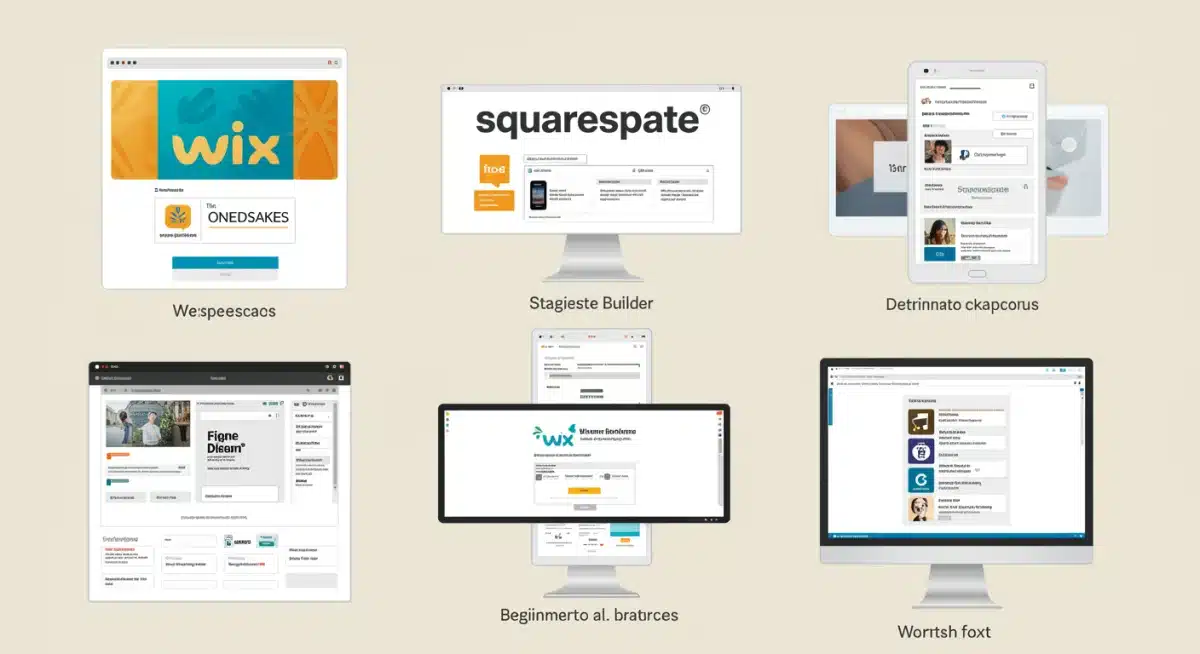
Website Builders (e.g., Wix, Squarespace, Shopify): These all-in-one platforms include hosting, domain registration (often for the first year), and an intuitive builder. They are excellent for beginners seeking a quick and easy setup, though they might offer less flexibility than WordPress. Shopify is specifically designed for e-commerce.
Custom Code: For those with coding skills (HTML, CSS, JavaScript) or a larger budget for a developer, custom coding offers ultimate control and uniqueness. This path is generally not recommended for beginners.
Each platform has its strengths and weaknesses. Consider your technical comfort level, budget, and specific needs when making your choice. Many platforms offer free trials, allowing you to experiment before committing.
Crafting an Effective Layout and User Experience
A well-designed layout guides visitors through your content, making it easy to find information and take desired actions. User experience (UX) focuses on making your site intuitive, efficient, and enjoyable to navigate.
Intuitive Navigation: Menus should be clear, concise, and logically structured. Users should always know where they are and how to get to other parts of your site.
Visual Hierarchy: Use headings, subheadings, and spacing to break up text and highlight important information. The most important elements should stand out.
Responsive Design: Ensure your website looks and functions well on all devices, including desktops, tablets, and smartphones. This is crucial for both user experience and SEO.
Consistent Branding: Use consistent colors, fonts, and imagery that reflect your brand identity across all pages.
Call-to-Action (CTA): Clearly guide users to perform specific actions, such as ‘Contact Us,’ ‘Buy Now,’ or ‘Learn More,’ using prominent buttons or links.
When selecting a template or theme, prioritize those that are clean, professional, and align with your brand’s aesthetic.
Most platforms allow for customization, so you can adapt the chosen template to your specific needs without starting from scratch.
The design and layout of your website are more than just aesthetics; they are crucial for user engagement and achieving your online goals.
A thoughtful design ensures visitors have a positive experience, encouraging them to stay longer and return often.
Creating Engaging Content and Essential Pages
Once the structural elements of your website are in place, the next vital step is populating it with compelling content.
Content is the heart of your website, informing your audience, driving engagement, and ultimately helping you achieve your online objectives. It’s not just about what you say, but how you say it.
Developing Your Core Website Content
Every piece of content on your website should serve a purpose, whether it’s to inform, entertain, or persuade.
Focus on creating high-quality, original content that resonates with your target audience and provides value. This includes text, images, videos, and any other media you integrate.
Know Your Message: What key information do you want to convey? Ensure your message is clear and consistent across all pages.
Write for Your Audience: Use language and tone that appeals to your target demographic. Avoid jargon unless your audience is highly specialized.
Optimize for Readability: Use short paragraphs, bullet points, and headings to make your content easy to scan and digest.
Include Visuals: Break up text with relevant images, infographics, and videos to enhance engagement and explain complex ideas.
Call to Action: Integrate clear calls-to-action within your content to guide users to the next step, whether it’s signing up for a newsletter or making a purchase.
Content creation is an ongoing process. Regularly updating your website with fresh, relevant content not only keeps your audience engaged but also signals to search engines that your site is active and authoritative.
Essential Pages for Every Website
Regardless of your website’s purpose, there are several foundational pages that almost every site needs. These pages provide crucial information and build trust with your visitors.
Homepage: The entry point to your site. It should clearly state what your website is about, who it’s for, and guide visitors to key areas.
About Us/Me Page: Shares your story, mission, values, and what makes you unique. This page helps build credibility and connection.
Contact Us Page: Provides clear ways for visitors to get in touch, including a contact form, email address, phone number, and physical address if applicable.
Services/Products Page: Details what you offer. For service-based businesses, describe your services. For e-commerce, list your products with descriptions and pricing.
Blog/Articles Page: A section for sharing insights, news, and valuable information. This is excellent for SEO and establishing thought leadership.
Privacy Policy/Terms of Service: Legally required pages that outline how you collect and use user data, and the terms for using your site.
Each of these pages plays a distinct role in ensuring your website is comprehensive, trustworthy, and user-friendly. Pay attention to the details on each page, ensuring all information is accurate and up-to-date.
Effective content creation is a cornerstone of a successful website. By providing valuable information and a seamless user experience, you can attract and retain your audience, ultimately achieving your online goals. Remember, your content is your voice online.
Implementing SEO Basics and Website Security

Having a beautiful website with great content is a fantastic start, but it’s equally important that people can find it and feel safe using it.
This is where Search Engine Optimization (SEO) and robust website security come into play. Neglecting these aspects can severely hinder your website’s reach and trustworthiness.
Understanding Basic SEO for Visibility
SEO is the practice of optimizing your website to rank higher in search engine results, making it more visible to potential visitors. For beginners, focusing on a few core principles can make a significant difference.
Keyword Research: Identify words and phrases your target audience uses when searching for information related to your website. Tools like Google Keyword Planner can help.
On-Page SEO: Optimize individual web pages to rank higher. This includes using your main keyword in your page title, meta description, URL, headings (H1, H2, etc.), and naturally within your content.
High-Quality Content: Search engines prioritize content that is valuable, comprehensive, and relevant to users’ queries. Regularly updating and adding fresh content signals to search engines that your site is active and authoritative.
Mobile-Friendliness: Ensure your website is responsive and optimized for mobile devices. Google heavily favors mobile-friendly sites in its rankings.
Page Speed: A faster loading website improves user experience and is a ranking factor for search engines. Optimize images and use efficient code.
While SEO can seem complex, starting with these basics will provide a strong foundation. Regularly monitor your website’s performance using tools like Google Analytics and Google Search Console to understand what’s working and what needs improvement.
Enhancing Website Security
In today’s digital landscape, website security is non-negotiable. A secure website protects your data, your visitors’ data, and maintains your credibility. A compromised site can lead to loss of trust, data breaches, and severe penalties.
SSL Certificate (HTTPS): Install an SSL certificate to encrypt data transferred between your website and users’ browsers. This is indicated by ‘HTTPS’ in the URL and a padlock icon. It’s essential for all websites, especially those collecting personal information or processing payments.
Strong Passwords: Use complex, unique passwords for your hosting account, website admin panel, and any other related services.
Regular Backups: Implement a system for regular website backups. In case of a security breach or technical issue, you can restore your site to a previous, safe state.
Software Updates: Keep your website platform (e.g., WordPress), themes, and plugins updated. Developers regularly release updates to patch security vulnerabilities.
Firewall and Security Plugins: Consider using a web application firewall (WAF) or security plugins (for CMS platforms) to detect and block malicious traffic and attacks.
Prioritizing SEO and security from the outset will not only help your website rank better but also build a trustworthy environment for your visitors.
These ongoing efforts are crucial for long-term online success and peace of mind.
Launching Your Website and Post-Launch Management
After meticulously planning, designing, and populating your website, the exciting moment of launch arrives.
However, launching is not the finish line; it’s the beginning of an ongoing journey of management, optimization, and promotion. A successful launch sets the stage for future growth and engagement.
Pre-Launch Checklist and Go-Live
Before hitting the ‘publish’ button, a thorough pre-launch checklist is essential to catch any last-minute issues and ensure a smooth rollout.
This step helps prevent embarrassing errors and ensures your website is fully functional from day one.
Test all forms and links: Ensure contact forms, subscription forms, and all internal and external links are working correctly.
Check for broken images: Verify that all images are loading properly and have appropriate alt text.
Review content for typos and grammar: A fresh pair of eyes can often catch errors you might have missed.
Optimize for speed: Use tools like Google PageSpeed Insights to check your site’s loading speed and address any bottlenecks.
Ensure mobile responsiveness: Test your website on various devices and screen sizes to confirm it looks good and functions well everywhere.
Set up analytics: Integrate Google Analytics or similar tools to track visitor behavior from the moment your site goes live.
Install an SSL certificate: Confirm HTTPS is active for security.
Once you’ve ticked off every item on your checklist, it’s time to make your website live. This usually involves removing any ‘under construction’ pages, ensuring your domain points to your hosting, and publicly announcing your launch.
Post-Launch Management and Promotion
The work doesn’t stop once your website is live. Effective post-launch management and promotion are crucial for attracting visitors, maintaining engagement, and achieving your objectives.
This involves continuous monitoring, updating, and strategic outreach.
Monitor performance: Regularly check your analytics to understand traffic sources, popular pages, bounce rates, and conversion metrics.
Regularly update content: Keep your website fresh with new blog posts, product updates, or service information. This signals to search engines that your site is active and relevant.
Backup your website: Continue to perform regular backups to protect against data loss.
Promote your website: Share your new website on social media, via email newsletters, and through other marketing channels. Consider paid advertising if it aligns with your budget and goals.
Engage with your audience: Respond to comments, inquiries, and feedback to build a community around your brand or topic.
Continuously optimize SEO: SEO is an ongoing process. Stay updated with search engine algorithm changes and refine your strategy.
Maintain security: Keep all software, themes, and plugins updated to prevent vulnerabilities.
Launching your website is a significant milestone, but sustained success comes from consistent effort in management and promotion.
By staying proactive, you can ensure your website continues to grow, attract new visitors, and achieve its full potential in the digital space.
Advanced Tips for Digital Optimization and Online Growth
Once your online platform is live and the fundamentals are in place, it’s time to focus on optimization and growth strategies.
This stage is about refining performance, expanding reach, and ensuring your digital presence continues to align with evolving audience expectations and long-term goals.
These advanced techniques help elevate your online presence from merely functional to truly high-performing.
Enhancing User Engagement and Conversions

User engagement and conversion rates are essential indicators of success in any online environment. Higher engagement often leads to stronger conversions—whether that means sales, subscriptions, or inquiries.
The goal is to create an experience that keeps visitors interested and motivates them to take meaningful action.
A/B Testing: Test variations of headlines, button colors, calls to action, and layouts to determine what resonates most and drives higher conversions.
Personalization: Deliver tailored content or offers based on user behavior, preferences, or demographics, such as recommended products or customized messages.
Heatmaps and Session Recordings: Tools like Hotjar or Crazy Egg reveal where users click, scroll, and linger, helping identify friction points and opportunities for improvement.
Live Chat Support: Real-time assistance can significantly improve satisfaction and conversion rates by addressing questions instantly.
Clear Value Proposition: Make it immediately clear what sets you apart and why visitors should choose your brand over competitors.
By continuously analyzing behavior and applying data-driven enhancements, your digital platform becomes a powerful engine for engagement and conversions.
Leveraging Analytics and Marketing Strategies
Data is one of your strongest growth assets. Analytics platforms provide deep insights into performance, enabling smarter marketing and content decisions.
Alongside analytics, consistent promotion is essential for audience expansion.
Advanced Analytics Insights: Go beyond surface metrics by examining user journeys, conversion paths, events, and audience segments to gain a deeper understanding of visitor behavior.
Email Marketing: Build and nurture an email list with newsletters, updates, and targeted offers—still one of the most effective direct marketing channels.
Social Media Promotion: Share content strategically across relevant platforms, adapting formats and messaging to each audience.
Content Marketing: Develop a structured content calendar featuring articles, videos, visuals, and resources that address user needs and attract organic traffic.
Paid Advertising (Optional): Use paid campaigns on search engines or social platforms to reach targeted audiences quickly, especially during launches or promotions.
Backlink Building: Earn high-quality links from reputable sources to strengthen authority and improve search visibility.
Growth is iterative. Regular testing, performance review, and strategic adjustments ensure sustained progress and stronger audience loyalty.
Maintaining and Scaling for Long-Term Success
Building an online presence is only the first step. Long-term success depends on consistent maintenance and thoughtful scalability planning.
A well-maintained platform stays secure, fast, and user-friendly, while scalable infrastructure supports growth without technical limitations.
Essential Maintenance Practices
Ongoing maintenance protects performance and prevents costly issues. Neglect can result in security risks, slow load times, and a frustrating user experience.
Regular Software Updates: Keep your content management system, themes, and extensions current to benefit from security patches and feature improvements.
Database Optimization: Remove unnecessary data regularly to improve speed and efficiency.
Broken Link Audits: Identify and fix broken internal or external links to preserve usability and search performance.
Security Scans: Run routine security checks to detect vulnerabilities early and protect user data.
Content Reviews: Refresh outdated material, improve accuracy, and optimize for current search intent.
Performance Monitoring: Track load times and uptime using monitoring tools to catch issues before they affect users.
Consistent maintenance ensures reliability, trust, and long-term usability.
Strategies for Scalability and Future Growth
As traffic increases and features expand, your digital platform must adapt without sacrificing performance. Planning for scalability early prevents major disruptions later.
Scalable Hosting Solutions: Begin with basic hosting if needed, but ensure easy upgrades to VPS, cloud, or dedicated environments as demand grows.
Modular Structure: Use flexible architecture that allows new features or sections to be added without major restructuring.
Content Delivery Network (CDN): Distribute static assets globally to ensure fast load times for users everywhere.
Performance Optimization: Continuously compress images, streamline code, and enable caching to handle higher traffic efficiently.
Selective Use of Extensions: Add only essential tools, ensuring they are well-maintained and removing anything unnecessary.
Regular Goal Reviews: Revisit objectives periodically so your digital presence evolves alongside your brand or business.
Maintaining and scaling your online presence is an ongoing commitment, but one that pays off significantly.
With proactive planning, consistent optimization, and strategic growth efforts, your digital platform can remain relevant, resilient, and impactful for years to come.
| Key Step | Brief Description |
|---|---|
| Define Purpose | Clarify your website’s goals and target audience before starting. |
| Domain & Hosting | Choose a memorable domain name and a reliable web hosting provider. |
| Design & Content | Select a platform, design layout, and create engaging, relevant content. |
| Launch & Grow | Launch with a checklist, then manage, promote, and optimize for success. |
Frequently Asked Questions About Website Creation
For a basic website using a builder like Wix or Squarespace, you could have it up and running in a few days to a week. Complex sites with custom features or extensive content may take several weeks or even months to complete.
No, not necessarily. Website builders and content management systems like WordPress allow you to create professional-looking websites using drag-and-drop interfaces and pre-made templates, without writing a single line of code.
Costs vary widely. A basic website might cost $50-$100 annually for domain and hosting. Premium builders or custom development can range from hundreds to thousands of dollars, plus ongoing maintenance fees or subscriptions.
Mobile responsiveness is extremely important. A significant portion of internet traffic comes from mobile devices. Websites that aren’t mobile-friendly offer a poor user experience and are penalized by search engines, affecting their visibility.
Yes, you can. Migrating a website to a new host or builder is possible, though it can be a technical process. It’s often easier with platforms like WordPress, which offer more portability. Some website builders can make migration more challenging.
Conclusion
Creating a website, while initially seeming like a daunting task, is a deeply rewarding endeavor that opens up a world of possibilities for personal expression, business growth, or community building.
By systematically approaching each stage, from defining your purpose and securing your online identity to designing, populating with content, and ultimately launching, even beginners can achieve a professional and impactful online presence.
Remember that your website is a living entity; continuous maintenance, optimization, and engagement are the keys to its long-term success and relevance in the ever-evolving digital landscape. Embrace the journey, leverage the tools available, and watch your digital vision come to life.