Improve Video Call Quality: Essential Tech Upgrades for 2026

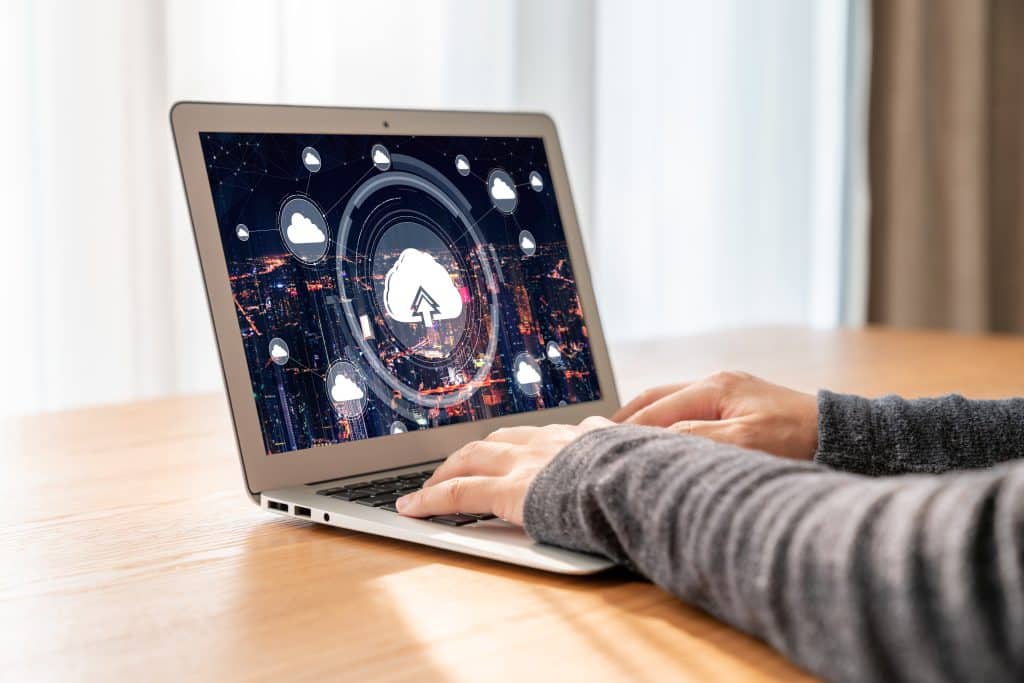 To significantly enhance video call quality in 2026, focus on strategic tech upgrades including high-resolution cameras, superior audio equipment, optimized lighting, robust internet connections, and advanced software, ensuring professional and seamless virtual communication experiences.
In today’s interconnected world, where remote work and virtual interactions are the norm, the ability to conduct clear and effective video calls is paramount.
If you’re looking to improve video call quality: essential tech upgrades for 2026, you’ve come to the right place. This guide will walk you through the crucial hardware and software enhancements needed to transform your virtual presence, ensuring every conversation is crisp, clear, and professional.
The Foundation: High-Resolution Webcams and Cameras
Poor video quality can be a significant distraction, undermining your message and professionalism. Investing in a high-resolution webcam is often the first and most impactful step towards enhancing your video call experience.
The leap from integrated laptop cameras to dedicated external units can be transformative, especially as technology advances towards 2026.
Modern webcams offer resolutions far beyond standard 1080p, with 4K models becoming increasingly accessible.
These devices capture finer details, offer better color accuracy, and perform significantly better in various lighting conditions.
Beyond standalone webcams, some professionals are even leveraging mirrorless or DSLR cameras as their video input, using capture cards to achieve unparalleled image quality. This approach provides cinematic depth and clarity, making your video feed stand out distinctly.
Choosing the Right Webcam
Selecting the ideal webcam involves considering several factors beyond just resolution. Sensor size, aperture, and autofocus capabilities play crucial roles in how well the camera performs in different environments.
A larger sensor generally means better low-light performance, while a wider aperture allows more light in, resulting in a brighter image. Fast and accurate autofocus ensures you remain sharp and in focus, even if you move slightly during your call.
Resolution: Aim for at least 1080p, with 4K being the preferred standard for 2026.
Autofocus: Essential for maintaining clarity, especially if you tend to move.
Low-light performance: Important for calls in less-than-ideal lighting.
Field of View (FoV): Consider if you need a wide-angle for groups or a narrower view for solo calls.
Ultimately, the goal is to present a clear, vibrant image that accurately represents you. The right camera makes a strong first impression and helps convey confidence and attention to detail, crucial for any professional interaction.
Crystal Clear Audio: Microphones and Noise Cancellation
While video is important, audio often takes precedence in effective communication. A pristine audio feed ensures your message is heard without distortion, background noise, or muffled tones. Integrated laptop microphones are rarely sufficient for professional settings, making external audio equipment a critical upgrade.
USB microphones have become incredibly popular due to their ease of use and significant audio quality improvement over built-in options. Condenser microphones, in particular, are favored for their ability to capture a wide range of frequencies and nuances in your voice.
For those seeking even greater fidelity, XLR microphones paired with an audio interface offer studio-grade sound. These setups allow for greater control over audio levels and processing, delivering a truly broadcast-quality sound.
Mitigating Background Noise
Beyond the microphone itself, noise cancellation technology is a game-changer. Many modern microphones come equipped with software-based noise reduction. Additionally, dedicated noise-canceling headphones can prevent ambient sounds from interfering with your ability to hear others, while also preventing your microphone from picking up echoes or room reverberation.
Advanced software solutions, often integrated into video conferencing platforms or available as standalone applications, can intelligently filter out unwanted sounds like keyboard clicks, barking dogs, or street noise, leaving only your voice.
USB Microphones: Easy to set up, significant improvement over built-in mics.
XLR Microphones: Studio-quality sound with an audio interface for advanced users.
Noise-Canceling Headphones: Improve listening experience and reduce echo.
Software Noise Reduction: Essential for eliminating ambient distractions.
Investing in quality audio equipment and leveraging noise cancellation ensures that every word you speak is clear and impactful, fostering better understanding and engagement during your video calls.
The Power of Illumination: Lighting Solutions
Even the best camera can’t perform optimally without adequate lighting. Proper illumination is often overlooked but can dramatically improve your video call quality, making you look more professional and engaged.
Harsh shadows, dark faces, or overexposed backgrounds can detract from your presence and make it harder for others to connect with you.
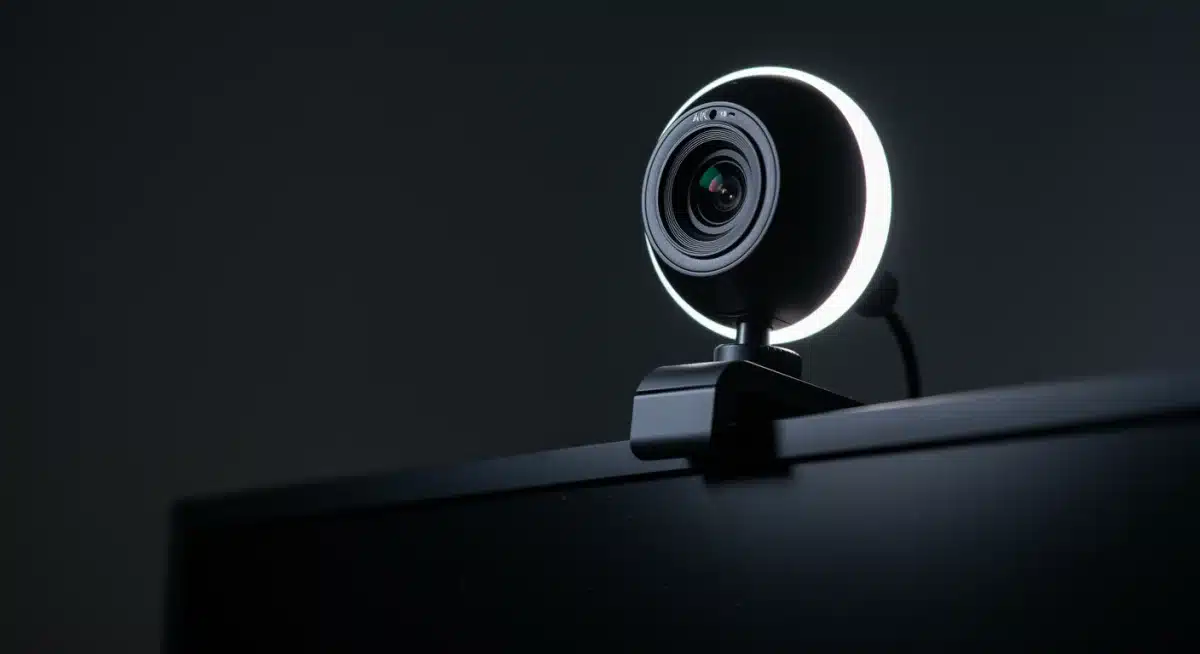
The simplest and most effective lighting upgrade is often a ring light or a softbox. Ring lights provide even, diffused illumination that minimizes shadows and highlights your features.
Softboxes, on the other hand, produce a larger, softer light source, ideal for a more natural and flattering look. Positioning is key: placing the light directly in front of you, slightly above eye level, creates the most flattering and professional appearance. Avoid backlighting, which can turn you into a silhouette.
Advanced Lighting Techniques
For those seeking even greater control, a three-point lighting setup can emulate professional studio conditions. This involves a key light (the main light source), a fill light (to soften shadows), and a backlight (to separate you from the background).
While this might sound complex, affordable LED lighting kits make this setup achievable for home offices. Adjustable color temperature is another valuable feature, allowing you to match the ambient light in your room or set a specific mood, from warm and inviting to cool and professional.
Ring Lights: Excellent for even, diffused frontal lighting.
Softboxes: Provide a larger, softer light source for a natural look.
Three-Point Lighting: For studio-quality illumination and depth.
Adjustable Color Temperature: Customize lighting to your environment.
Proper lighting ensures that you are clearly visible and well-presented, enhancing your overall credibility and effectiveness during virtual meetings.
Robust Connectivity: Internet Speed and Stability
Even with top-tier cameras and microphones, a poor internet connection can derail your video call. Lag, pixelation, and dropped calls are frustrating and unprofessional. As we look towards 2026, reliable and high-speed internet is no longer a luxury but a fundamental requirement for seamless virtual communication.
The first step is to assess your current internet speed. Most video conferencing platforms recommend specific upload and download speeds for optimal performance.
Generally, an upload speed of at least 10-25 Mbps and a download speed of 50-100 Mbps are advisable for smooth HD video calls, especially if multiple devices are using the network simultaneously. If your speeds are consistently below these thresholds, consider upgrading your internet plan or contacting your service provider to troubleshoot.
Optimizing Your Network
Beyond raw speed, network stability is crucial. A wired Ethernet connection is always superior to Wi-Fi for critical video calls, as it offers a more consistent and lower-latency connection.
If a wired connection isn’t feasible, ensure your Wi-Fi router is modern and capable of handling multiple devices and high bandwidth demands.
Mesh Wi-Fi systems can eliminate dead zones in larger homes, providing strong signals throughout your workspace. Limiting other bandwidth-heavy activities during calls, such as large downloads or streaming, can also prevent interruptions.
Speed Test: Regularly check your upload and download speeds.
Wired Connection: Prioritize Ethernet for stability.
Modern Router/Mesh Wi-Fi: Ensure strong, consistent Wi-Fi signal.
Bandwidth Management: Reduce competing network activities during calls.
A stable and fast internet connection forms the backbone of any successful video call, preventing frustrating technical glitches that can disrupt communication.
Software Enhancements and Virtual Backgrounds
Hardware upgrades are just one piece of the puzzle; software plays an equally vital role in optimizing your video call experience.
Modern video conferencing platforms are continually evolving, offering advanced features that can significantly enhance your virtual presence. Leveraging these tools effectively can make a substantial difference in how you appear and sound.
Many platforms now include built-in features for video enhancement, such as automatic exposure adjustment, low-light correction, and even skin smoothing filters. Exploring these settings can often yield surprising improvements without additional hardware.
Furthermore, advanced noise suppression algorithms integrated into software can work wonders, filtering out ambient sounds even if your microphone isn’t top-tier. Keep your video conferencing applications updated to benefit from the latest optimizations and security patches.
Mastering Virtual Backgrounds and Effects
Virtual backgrounds have become ubiquitous, offering privacy and a professional aesthetic. However, poorly implemented virtual backgrounds can look distracting and unprofessional. To achieve a seamless virtual background, good lighting and a solid, contrasting backdrop (like a green screen) are highly recommended.
Some software even offers advanced AI-driven background blur or replacement without a green screen, which can be effective if your camera and lighting are sufficient. Experiment with different virtual backgrounds that align with your professional image, keeping them simple and uncluttered.
Platform Features: Utilize in-app video and audio enhancements.
Software Updates: Keep applications current for performance and security.
Green Screen: Recommended for flawless virtual backgrounds.
AI Backgrounds: Effective with good camera and lighting.
By effectively combining robust hardware with smart software utilization, you can unlock the full potential of your video conferencing setup, creating an immersive and professional virtual environment.
Ergonomics and Workspace Optimization

Beyond the technical components, the physical setup of your workspace significantly impacts your video call quality and overall comfort.
An ergonomic and well-organized environment not only enhances your professional image but also reduces fatigue during long virtual meetings. Overlooking these aspects can lead to discomfort and a less engaging online presence.
Start with your chair and desk. An ergonomic chair provides proper back support, allowing you to maintain good posture, which in turn can affect how you present yourself on camera.
Your desk height should allow your arms to rest comfortably, with your keyboard and mouse easily accessible. The camera should be at eye level, achieved with a monitor stand or by placing your laptop on a stack of books. This prevents unflattering upward angles and creates a more natural eye line with other participants.
Background and Clutter Management
What’s behind you matters. A clean, uncluttered background conveys professionalism and minimizes distractions. Consider a simple, neutral wall or a tastefully decorated area. Avoid busy patterns, personal items that could be distracting, or anything that might be perceived as unprofessional.
Good cable management is also essential; a tangle of wires can look messy and reflect poorly on your attention to detail. Investing in cable ties or sleeves can keep your workspace tidy and organized, contributing to a polished on-screen appearance.
Ergonomic Chair and Desk: Essential for comfort and posture.
Eye-Level Camera: Ensures a flattering and natural perspective.
Clean Background: Promotes professionalism and reduces distractions.
Cable Management: Keeps your workspace tidy and organized.
Optimizing your workspace for ergonomics and aesthetics ensures that you not only look good but also feel comfortable and focused, contributing to more effective and enjoyable video calls.
Future-Proofing Your Setup: Emerging Technologies for 2026
As technology rapidly advances, staying ahead of the curve is crucial for maintaining a cutting-edge video call setup. By 2026, several emerging technologies are poised to further revolutionize virtual communication, offering even greater immersion and efficiency. Anticipating these changes allows you to strategically plan your upgrades and remain at the forefront of digital interaction.
One significant area of development is AI-powered video processing. Expect more sophisticated algorithms that can automatically enhance video quality, correct lighting in real-time, and even generate realistic eye contact, regardless of where you’re looking on your screen.
This will lead to more natural and engaging interactions, bridging the gap between virtual and in-person meetings. Furthermore, advancements in spatial audio are set to create more immersive soundscapes, where voices appear to come from specific locations, mirroring a physical conference room experience.
The Rise of Extended Reality (XR) in Meetings
Extended Reality (XR), encompassing Virtual Reality (VR) and Augmented Reality (AR), is slowly but surely making its way into professional collaboration. While not mainstream for everyday video calls yet, by 2026, more specialized meetings might leverage VR headsets for fully immersive virtual environments, complete with realistic avatars and interactive 3D models.
AR overlays could enhance traditional video calls by projecting information or virtual objects into your physical space. These technologies promise a new dimension of collaboration, particularly for design, engineering, and educational contexts. Investing in compatible hardware or understanding these platforms will be key for future-proofing.
AI Video Processing: Real-time enhancements and eye contact simulation.
Spatial Audio: Immersive soundscapes for a more natural meeting experience.
Extended Reality (XR): VR/AR for immersive and interactive collaborative sessions.
Next-Gen Connectivity: 5G and Wi-Fi 6E for ultra-low latency and high bandwidth.
By keeping an eye on these emerging technologies, you can ensure your video call setup remains relevant and powerful, ready to adapt to the evolving demands of virtual communication in the years to come.
| Key Upgrade Area | Brief Description |
|---|---|
| High-Resolution Cameras | Upgrade to 4K webcams or DSLR/mirrorless cameras for superior image clarity and detail. |
| Crystal Clear Audio | Invest in USB or XLR microphones with noise cancellation for pristine sound quality. |
| Optimized Lighting | Utilize ring lights or softboxes to ensure even, flattering illumination and minimize shadows. |
| Robust Internet | Ensure high-speed, stable internet with wired connections or modern Wi-Fi for uninterrupted calls. |
Frequently Asked Questions About Video Call Quality
While all upgrades contribute, a high-quality external webcam (1080p or 4K) often provides the most immediate and noticeable improvement in video call quality. It significantly surpasses the performance of most built-in laptop cameras, offering better resolution, color accuracy, and low-light capability.
To improve audio, invest in a dedicated USB microphone or a headset with a good microphone. Additionally, utilize noise cancellation features available in your microphone’s software or within your video conferencing platform to filter out background noise and ensure your voice is clear.
Yes, good lighting is critically important. It can transform your image, making you appear professional and well-defined. A simple ring light or softbox positioned in front of you can eliminate shadows, brighten your face, and improve the overall visual quality of your video feed dramatically.
For high-quality (HD) video calls, aiming for at least 10-25 Mbps upload speed and 50-100 Mbps download speed is recommended. A stable, wired Ethernet connection is always preferred over Wi-Fi to minimize latency and dropped connections, ensuring consistent performance.
Software offers features like automatic exposure, low-light correction, and advanced noise suppression. Keeping your video conferencing apps updated ensures access to the latest optimizations. Virtual backgrounds, when used correctly with good lighting, can also enhance professionalism and privacy during calls.
Conclusion
As we navigate the increasingly digital landscape, the imperative to deliver exceptional video call quality is clearer than ever.
The essential tech upgrades for 2026, from high-resolution cameras and pristine audio equipment to optimized lighting and robust internet connections, collectively form the bedrock of a professional and engaging virtual presence.
By strategically investing in these areas, coupled with smart software utilization and an optimized workspace, you not only enhance your own experience but also elevate the quality of every interaction.
Staying abreast of emerging technologies will further ensure your setup remains future-proof, allowing you to confidently connect, collaborate, and succeed in the evolving world of remote communication.