Speed Up Your Smartphone: 3 Simple Tweaks for Better Performance

 Is your smartphone feeling sluggish? Do apps take forever to open, or does your device freeze at the most inconvenient times? You’re not alone. Many users experience a noticeable slowdown in their phone’s performance over time.
However, you don’t always need to rush out and buy a new device. With just a few strategic adjustments, you can significantly improve its responsiveness and overall user experience. This article will guide you through Speed Up Your Smartphone: 3 Simple Tweaks for Better Performance, helping you reclaim that ‘new phone’ feel without breaking the bank.
Understanding why your smartphone slows down
Before diving into solutions, it’s helpful to understand the common culprits behind a slow smartphone. Over time, various factors can contribute to decreased performance, turning your once-snappy device into a frustratingly sluggish gadget. Identifying these issues is the first step toward effective optimization.
Modern smartphones are powerful mini-computers, but they have finite resources. Each app, every photo, and even temporary files consume a portion of your phone’s processing power, RAM, and storage. When these resources become stretched too thin, performance inevitably suffers. It’s a cumulative effect, where small inefficiencies add up to a significant slowdown.
The accumulation of digital clutter
One of the primary reasons for a slow phone is the accumulation of digital clutter. Just like a physical space, a digital environment can become messy with unused apps, duplicate photos, large video files, and temporary data. This clutter not only eats into your storage but can also impact how quickly your phone can access and process information.
Unused apps: Many apps remain installed long after their utility has passed, consuming storage and sometimes running in the background.
Large media files: High-resolution photos and 4K videos take up significant space, particularly on devices with limited internal storage.
Download folders: Often forgotten, the downloads folder can harbor numerous files you no longer need.
Background processes and RAM consumption
Another significant factor is the number of applications and processes running in the background. Even when you’re not actively using an app, it might be consuming RAM and CPU cycles, slowing down the foreground tasks. This is especially true for social media apps, messaging services, and those with constant notification updates.
RAM (Random Access Memory) is crucial for multitasking. If too many apps are vying for RAM, your phone has to constantly swap data, which is a much slower process than holding it in active memory. This ‘swapping’ leads to noticeable lag and delayed responses when switching between applications or opening new ones.
Understanding these underlying causes sets the stage for implementing effective solutions. By addressing digital clutter and managing background processes, you can make substantial progress in improving your phone’s speed and responsiveness, bringing it closer to its original performance levels.
Tweak 1: master your apps and storage
The first crucial step to significantly improve your smartphone’s performance involves a thorough review and optimization of your applications and storage.
Many users underestimate the impact that a cluttered app drawer and overflowing storage can have on their device’s speed and efficiency. This tweak focuses on decluttering and streamlining your digital environment.
Think of your smartphone’s storage as a closet. If it’s overstuffed with clothes you never wear, it becomes hard to find what you need, and the closet itself feels cramped and inefficient. The same principle applies to your phone. By regularly cleaning out unnecessary apps and media, you free up vital resources.
Uninstalling unused applications
Go through your app list with a critical eye. If you haven’t used an app in months, consider uninstalling it. Many apps not only take up storage space but can also run background processes, consume data, and drain battery, even when you’re not actively using them. Removing these digital deadweights is an immediate win for performance.
Identify dormant apps: Some phone operating systems have features to highlight infrequently used apps.
Consider alternatives: Do you really need five different photo editing apps, or can one suffice?
Be ruthless: If in doubt, uninstall. You can always re-download it later if you genuinely need it.

Managing media and files
Photos and videos are often the biggest storage hogs. High-resolution content can quickly fill up your phone’s internal memory. Regularly review your gallery and delete duplicates, blurry shots, or videos you no longer need.
Consider offloading older media to cloud storage services like Google Photos, iCloud, or Dropbox, or transferring them to an external hard drive.
Don’t forget your downloads folder! It often accumulates files like PDFs, documents, and temporary images that are only needed once. Regularly checking and clearing this folder can free up surprising amounts of space. Similarly, messaging apps can store a lot of media within their chats; check their settings for options to clear old media or prevent auto-downloads.
Optimizing app settings
Beyond uninstalling, optimizing the settings of your remaining apps can also boost performance. Many apps have options to disable background refresh, limit notifications, or prevent automatic media downloads. Adjusting these settings can reduce their resource consumption, leading to a snappier device and better battery life. This proactive management ensures your device runs smoothly.
By taking control of your apps and diligently managing your storage, you create a leaner, more efficient operating environment for your smartphone.
This foundational tweak is often the most impactful, laying the groundwork for a consistently faster and more responsive user experience, making your daily interactions with your device much more pleasant and productive.
Tweak 2: clear your cache and temporary data
The second powerful tweak to significantly improve your smartphone’s speed involves clearing out cached data and other temporary files. While cache is designed to speed up app loading and browsing, an excessive accumulation can actually have the opposite effect, bogging down your device and consuming valuable storage space. Understanding and managing this data is key.
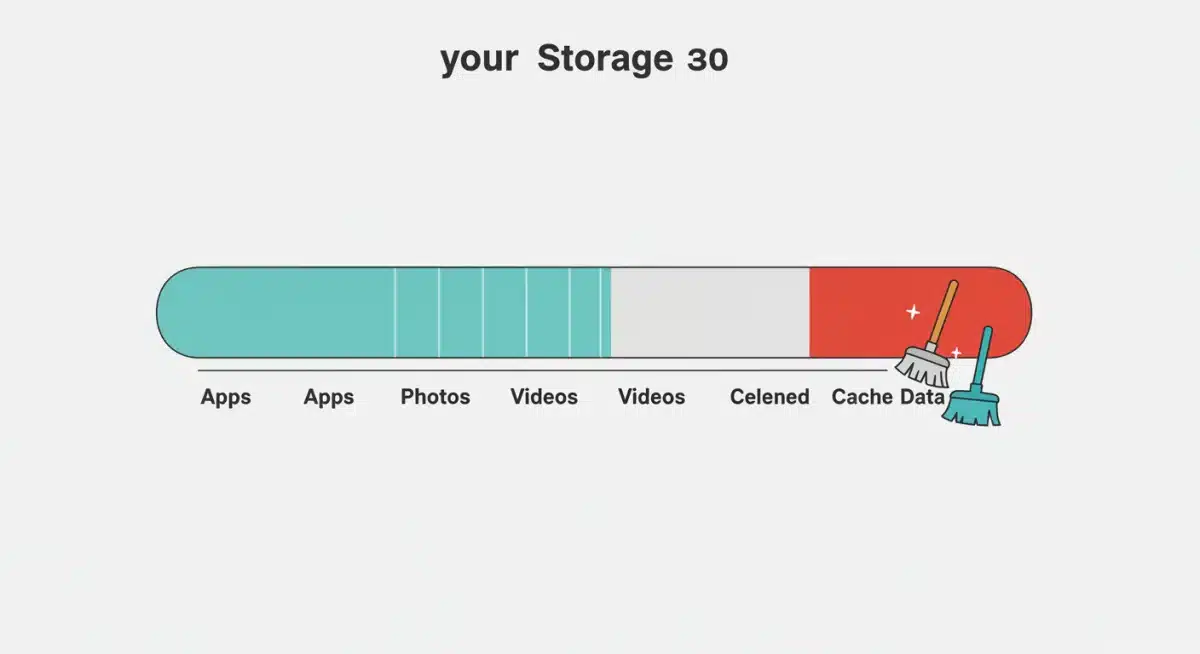
Every app you use, every website you visit, and every media file you stream creates temporary data. This data, known as cache, is stored on your device so that the app or website can load faster the next time you access it. In theory, it’s a great concept. In practice, these small files can quickly multiply, becoming a digital burden.
Understanding app cache
App cache is specific to each application. For instance, a social media app will cache images and posts, while a browser will cache web pages. Over time, this cache can grow to several gigabytes for frequently used apps. When an app has to sift through a massive amount of old cache to find new information, it slows down.
Browser cache: Web browsers store images, scripts, and other elements of websites you visit.
Social media cache: Apps like Facebook, Instagram, and TikTok cache vast amounts of media content.
Streaming service cache: Services like Spotify or Netflix can cache downloaded content or frequently played media.
How to clear app cache (Android)
For Android users, clearing individual app caches is a straightforward process. You can go into your phone’s settings, navigate to ‘Apps’ or ‘Apps & notifications’, select a specific app, and then choose ‘Storage & cache’.
From there, you’ll see options to ‘Clear cache’ and ‘Clear storage’. It’s important to note the difference: clearing cache only removes temporary files, while clearing storage deletes all app data, including user settings and login information. Always opt for ‘Clear cache’ first.
Regularly clearing the cache of your most used apps can make a noticeable difference. It frees up space and often resolves minor app glitches or performance issues. While it might take a moment longer for the app to load certain elements the very first time after clearing its cache, the overall long-term benefits in terms of phone speed are significant.
How to clear app cache (iOS)
On iOS, the process is a bit different as there isn’t a universal ‘clear cache’ button for individual apps like on Android. For many apps, you might need to go into the app’s own settings to find a cache-clearing option. Alternatively, a more drastic but often effective method is to uninstall and then reinstall the app. This effectively removes all its data, including cache, and starts fresh.
For browser cache on iOS, you can clear it by going to Settings > Safari > Clear History and Website Data. For other browsers, check their specific settings. While iOS is generally more efficient at managing resources, accumulated browser cache can still impact browsing speed and overall device responsiveness. Regularly performing these steps ensures your phone isn’t unnecessarily burdened by old, temporary data.
By making cache clearing a routine maintenance task, you actively prevent your smartphone from getting bogged down by digital residue. This simple yet effective tweak ensures that your device has more free memory and processing power available for the tasks you actually want to perform, leading to a much smoother and more enjoyable user experience.
Tweak 3: optimize system settings and animations
The third and often overlooked tweak to enhance your smartphone’s performance involves optimizing its system settings and reducing visual effects.
While modern operating systems are designed to be visually appealing, the animations and subtle transitions can consume a surprising amount of processing power and RAM. By toning these down, you can free up resources and achieve a snappier feel.
Your phone’s operating system (OS) offers a plethora of settings, many of which can be adjusted to prioritize performance over aesthetics. These aren’t just cosmetic changes; they directly influence how quickly your phone renders screens, opens apps, and transitions between different views. A few strategic adjustments can make a world of difference.
Reducing or disabling animations (Android)
For Android users, accessing developer options unlocks powerful performance tweaks. To enable developer options, go to Settings > About phone, and tap on ‘Build number’ seven times. Once enabled, go back to Settings > System > Developer options. Here, you’ll find three key settings: ‘Window animation scale’, ‘Transition animation scale’, and ‘Animator duration scale’.
Set to .5x: Changing these scales from 1x to .5x will make animations twice as fast, giving the impression of a much quicker phone.
Turn off animations: For maximum speed, you can even turn them off completely (set to ‘Animation off’). This removes all visual transitions, making your phone feel incredibly fast, albeit less fluid visually.
Background process limit: Within Developer options, you can also set a ‘Background process limit’ to restrict how many apps can run in the background, further conserving RAM.
Limiting motion and transparency (iOS)
iOS also provides options to reduce visual effects, which can significantly improve performance, especially on older models. Go to Settings > Accessibility > Motion. Here, you’ll find ‘Reduce Motion’ and ‘Reduce Transparency’.
Enabling ‘Reduce Motion’ simplifies the user interface’s motion, replacing some screen effects, like the parallax effect of icons, with a simpler fade. This reduces the graphical load on your device. Similarly, ‘Reduce Transparency’ reduces the blur and transparency effects used in elements like the Control Center and Notification Center, which can be graphically intensive.
While these changes might seem minor, their cumulative effect on your phone’s responsiveness can be quite substantial. By minimizing the resources dedicated to visual flair, you allow your device to allocate more power to processing applications and tasks, resulting in a noticeably smoother and faster user experience. This tweak is particularly beneficial for devices that are a few years old or have less powerful processors.
Advanced considerations for continued performance
Beyond the three core tweaks, maintaining optimal smartphone performance requires a holistic approach that extends to how you interact with your device daily. These advanced considerations aren’t one-time fixes but rather ongoing habits and practices that ensure your phone remains fast and responsive over its lifespan. Thinking proactively about your device’s health can prevent future slowdowns.
Just like any complex piece of technology, smartphones benefit from regular care and mindful usage. Ignoring these aspects can lead to a gradual degradation in performance, even if you’ve implemented the initial tweaks. It’s about creating a sustainable environment for your device to thrive in.
Software updates and security
Keeping your phone’s operating system and apps updated is paramount. Software updates often include performance enhancements, bug fixes, and security patches that can directly impact your device’s speed and stability. Ignoring updates can leave your phone vulnerable to inefficiencies and security risks that could also affect performance.
OS updates: Install system updates as soon as they are available.
App updates: Enable automatic app updates or check for them regularly.
Security software: Consider a reputable mobile security solution, especially for Android, to prevent malware that can slow down your phone.
Battery health and performance modes
A deteriorating battery can also indirectly affect performance. Many modern smartphones, particularly iPhones, feature performance management systems that can throttle CPU speed when the battery health degrades to prevent unexpected shutdowns. Monitoring your battery health (Settings > Battery > Battery Health on iOS) can give you insights.
Some phones offer performance modes (e.g., ‘High performance’ vs. ‘Power saving’). While power-saving modes can extend battery life, they often do so by reducing CPU speed and background activity, which can lead to a slower experience. Conversely, using ‘High performance’ mode when needed can provide a temporary boost, though at the expense of battery life.
Rebooting your device regularly
It might sound overly simplistic, but a regular reboot can work wonders. Just like a computer, a smartphone benefits from being turned off and on periodically.
This clears temporary system files, closes lingering background processes, and refreshes the system memory, leading to a smoother and more responsive device. Aim for a weekly reboot to keep things fresh.
By integrating these advanced considerations into your routine, you’re not just fixing a slow phone; you’re adopting practices that promote long-term device health and optimal performance. These steps, combined with the initial three tweaks, ensure your smartphone remains a powerful and efficient tool for your everyday needs.
The long-term benefits of a faster phone
Implementing these simple tweaks to speed up your smartphone offers more than just a momentary boost in performance; it unlocks a cascade of long-term benefits that enhance your overall digital life.
A faster, more responsive phone isn’t merely a convenience; it’s a tool that empowers you, reduces frustration, and can even save you money in the long run.
Consider the cumulative effect of daily frustrations caused by a slow device. Every lag, every frozen screen, every delayed app launch adds up, impacting your productivity, your patience, and your enjoyment of technology. By optimizing your phone, you’re investing in a smoother, more efficient interaction with one of your most frequently used devices.
Enhanced productivity and efficiency
When your smartphone operates at peak performance, tasks that once felt like a chore become seamless. Whether it’s quickly switching between work apps, responding to emails, or managing your calendar, a fast phone reduces friction. This translates directly into improved productivity, allowing you to accomplish more in less time, without the constant interruptions of a lagging device.
Faster app launches: Get to what you need instantly.
Smooth multitasking: Juggle multiple tasks without hiccups.
Reliable performance: Experience fewer crashes and freezes.
Extending device lifespan and value
Optimizing your smartphone’s performance can effectively extend its usable lifespan. Instead of feeling compelled to upgrade to a new device every two years due to performance issues, you can comfortably use your current phone for a longer period. This not only saves you money but also reduces electronic waste, contributing to a more sustainable consumption pattern.
Furthermore, a well-maintained and fast-performing phone retains its resale value better. If and when you do decide to upgrade, a device that still runs smoothly will fetch a better price, making your next purchase more affordable. It’s a win-win situation, benefiting both your wallet and the environment by delaying premature replacements.
A more enjoyable user experience
Ultimately, a faster phone is simply more enjoyable to use. The seamless experience of browsing, gaming, or interacting with social media without frustrating delays significantly improves your daily digital interactions. It transforms your phone from a source of irritation into a reliable and pleasant companion, allowing you to focus on the content and connections, rather than the device itself.
The long-term benefits extend beyond mere speed. They encompass a sense of control over your technology, increased satisfaction with your device, and a more efficient approach to your digital life. By embracing these simple tweaks, you’re not just fixing a problem; you’re unlocking the full potential of your smartphone and ensuring it serves you effectively for years to come.
Maintaining peak smartphone performance
Achieving a faster smartphone isn’t a one-time endeavor; it’s an ongoing commitment to smart digital habits. While the initial three tweaks provide a significant boost, consistent maintenance is crucial to prevent future slowdowns and ensure your device continues to operate at its best. Think of it as preventative care for your digital companion.
Just as you wouldn’t expect a car to run perfectly without regular oil changes and tune-ups, your smartphone also benefits from routine check-ups and adjustments.
These habits are easy to integrate into your daily or weekly routine and require minimal effort for maximum impact on your device’s longevity and responsiveness.
Regular app and storage audits
Make it a habit to periodically review your installed applications and storage usage. Set a reminder, perhaps once a month, to go through your app list and uninstall anything you haven’t used. Similarly, do a quick sweep of your photo gallery and downloads folder. This proactive approach prevents clutter from building up to problematic levels.
Monthly app review: Uninstall unused apps and check for redundant ones.
Media management: Delete old photos/videos or offload them to cloud storage.
Downloads folder cleanup: Clear out temporary files that are no longer needed.
Automate what you can
Leverage your phone’s capabilities to automate some maintenance tasks. For instance, many cloud storage services offer options to automatically back up your photos and videos, then delete them from your device to free up space. Similarly, ensure automatic updates are enabled for your operating system and apps.
Some Android devices and third-party apps also offer features to automatically clear app cache at scheduled intervals or when storage runs low.
Explore these options within your phone’s settings or through reputable app stores to reduce the manual effort required for maintenance. Automation ensures that essential upkeep happens even when you’re busy.
Mindful app usage
Be mindful of how you use apps. While it’s convenient to keep many apps open in the background, try to close those you won’t be using for an extended period, especially resource-intensive ones like games or video editors. Avoid installing too many ‘live wallpaper’ or widget-heavy home screen setups, as these can continuously consume resources.
By adopting these ongoing maintenance practices, you’re not just performing isolated tweaks; you’re cultivating a healthy digital ecosystem for your smartphone.
This consistent care ensures that your device remains fast, efficient, and a pleasure to use, maximizing its utility and extending its life far beyond what you might expect from a neglected phone.
| Key Tweak | Brief Description |
|---|---|
| App & Storage Mastery | Uninstall unused apps, manage media files, and optimize app settings to free up resources and storage. |
| Clear Cache Data | Regularly clear temporary app and browser cache to prevent slowdowns and reclaim valuable storage space. |
| Optimize System Settings | Reduce or disable system animations and visual effects to allocate more processing power to core tasks. |
| Consistent Maintenance | Implement regular reboots, software updates, and mindful app usage for sustained peak performance. |
Frequently asked questions about smartphone performance
It’s beneficial to clear your phone’s cache every few weeks or once a month, especially for frequently used apps. This prevents excessive temporary data buildup, which can lead to slowdowns and consume significant storage space. A regular clear helps maintain optimal performance and responsiveness.
Yes, restarting your phone regularly can significantly improve its speed. It clears temporary system files, closes background processes that might be consuming resources, and refreshes the device’s memory. A weekly reboot is often recommended to keep your smartphone running smoothly and prevent gradual performance degradation.
Most ‘phone cleaner’ apps are often unnecessary and can sometimes even harm performance by running in the background and consuming resources. Modern smartphone operating systems have built-in tools for managing storage and cache. It’s usually more effective and safer to manually manage apps and clear cache through your phone’s native settings.
Yes, having too many active widgets, especially those that constantly update, can contribute to a slower Android phone. Widgets consume RAM and CPU cycles to refresh their information, potentially impacting overall system performance. Limiting the number of widgets or choosing static ones can help improve responsiveness.
For most modern smartphones, letting apps run in the background is generally fine, as operating systems are good at managing them. However, for resource-intensive apps or if your phone is consistently slow, actively closing apps you’re not using can free up RAM and CPU, leading to better performance.
Conclusion
In a world where our smartphones are integral to nearly every aspect of daily life, a slow device can be a significant source of frustration. Fortunately, as we’ve explored, you don’t need to endure sluggish performance or immediately invest in a new phone.
By implementing these three simple yet powerful tweaks—mastering your apps and storage, diligently clearing cache and temporary data, and optimizing system settings and animations—you can unlock a remarkably faster and more responsive smartphone.
These actions, combined with consistent maintenance habits like regular reboots and software updates, not only enhance your current user experience but also extend your device’s lifespan and retain its value.
Embrace these practices, and you’ll transform your digital companion into the efficient, enjoyable tool it was always meant to be, making your everyday interactions smoother and more productive.