Spine-Smart Remote Work: Practical Ergonomic Strategies
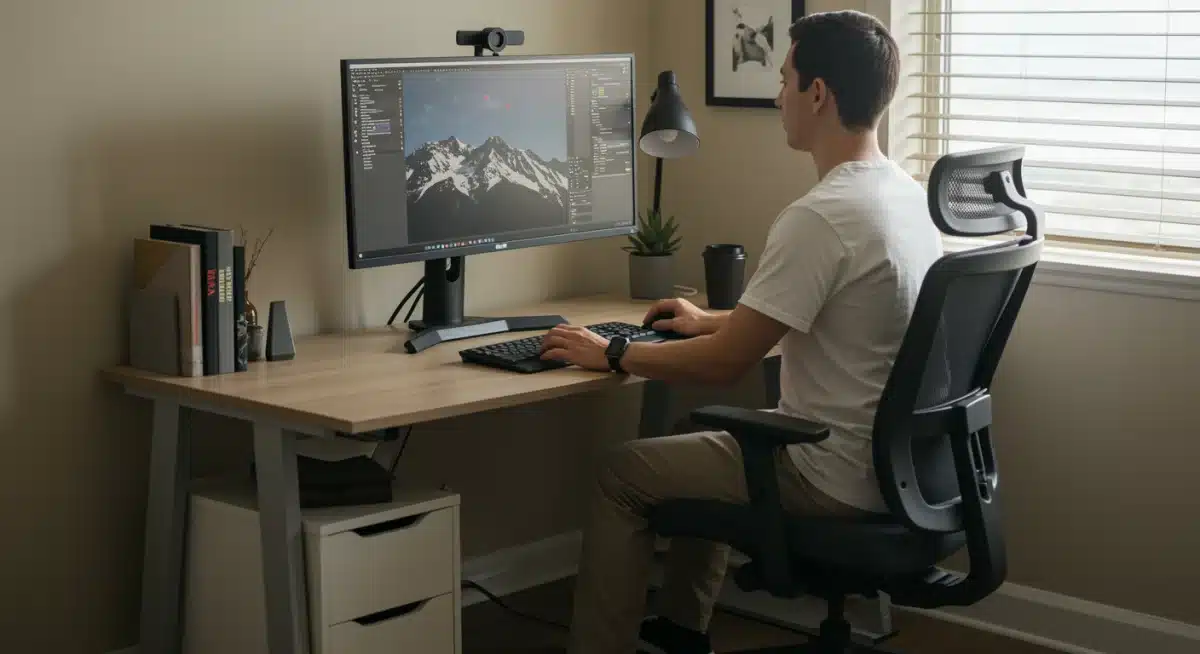
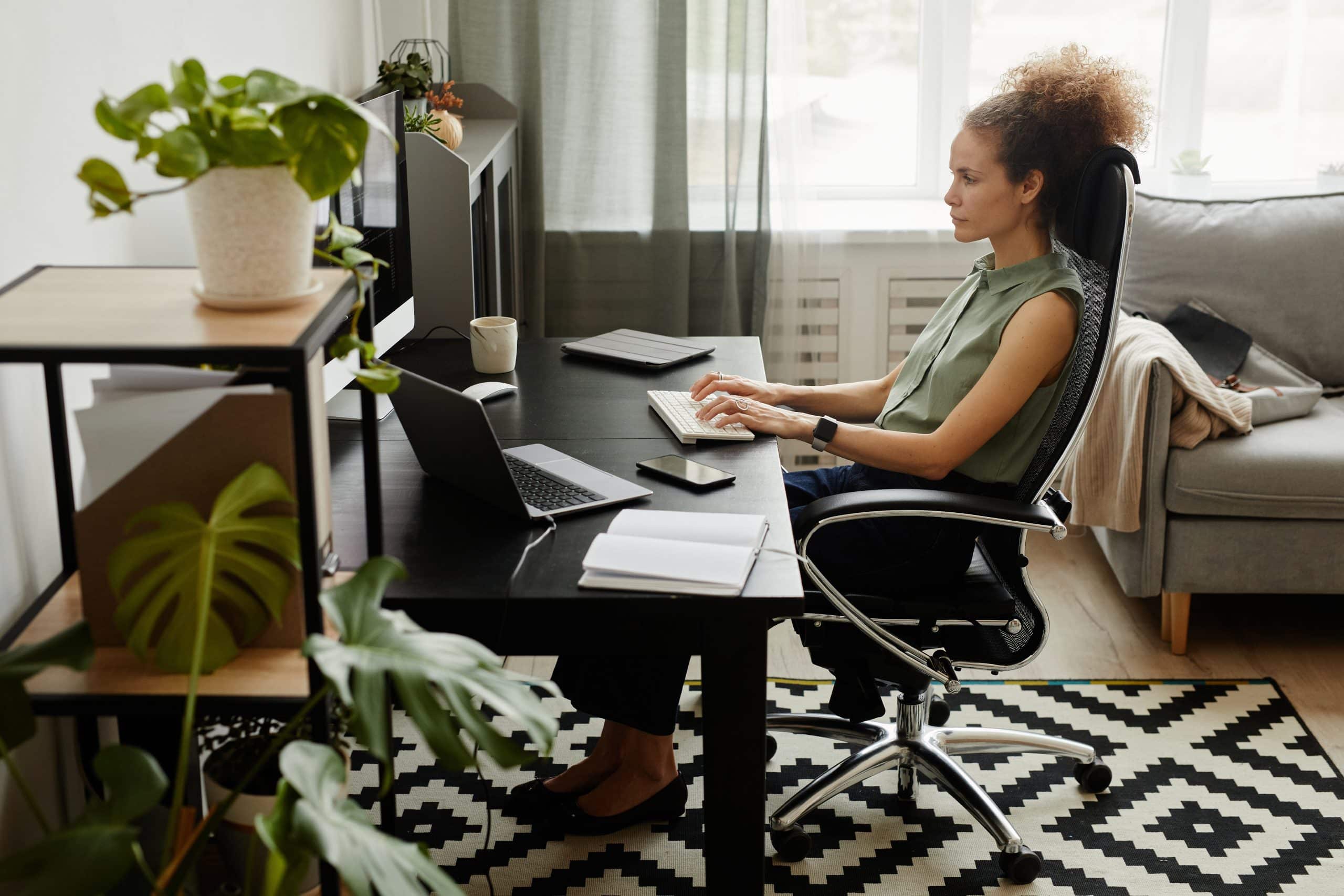 Implementing ergonomic principles in your remote workspace is crucial for preventing back pain and fostering a healthier work-from-home setup, ensuring long-term comfort and productivity.
Working from home has become the norm for millions across the United States, offering flexibility but often introducing new physical challenges.
One of the most common complaints among remote workers is persistent back pain, stemming largely from suboptimal workstation setups.
Understanding how to create an ergonomic environment is not just about comfort; it’s about safeguarding your long-term health and productivity.
This article delves into crucial strategies for preventing back pain: ergonomic tips for a healthier work-from-home setup, ensuring your home office supports your well-being.
Understanding the Root Causes of Work-from-Home Back Pain
Back pain is a pervasive issue, and for those working remotely, its origins often lie in prolonged static postures, inadequate seating, and poorly arranged workspaces.
The kitchen table, the couch, or even the bed might seem like convenient spots, but they rarely offer the necessary support for hours of work. Identifying these common culprits is the first step toward significant improvement and pain prevention.
Many individuals unknowingly adopt postures that strain their spine, leading to discomfort and chronic issues.
This can range from slouching forward, hunching over a laptop, or twisting the torso to reach peripherals. Over time, these habits contribute to muscle imbalances, disc compression, and nerve irritation, culminating in debilitating back pain that impacts daily life and work performance.
The Impact of Poor Posture
Poor posture is arguably the single biggest contributor to back pain in a work-from-home setting. When your spine is not properly aligned, certain muscles become overstretched and weak, while others become tight and shortened.
This imbalance affects the natural curves of your spine, increasing pressure on discs and joints.
Slouching: Increases pressure on the lower back and neck.
Hunching: Rounds the upper back, straining shoulders and neck.
Twisting: Unevenly loads the spine, leading to muscle spasms.
Static Positions: Reduces blood flow and stiffens joints over time.
Beyond posture, the lack of movement throughout the day exacerbates these issues. Traditional office environments often involve more incidental movement, such as walking to meetings or the water cooler.
At home, these small movements can be easily forgotten, leading to prolonged periods of sitting that are detrimental to spinal health. Addressing these foundational issues is vital for preventing back pain.
Selecting the Right Ergonomic Chair for Support
The foundation of any healthy work-from-home setup is a high-quality ergonomic chair. Investing in one is not merely a luxury; it’s a critical investment in your physical health, directly impacting your ability to maintain good posture and reduce strain on your back.
A good ergonomic chair is designed to support the natural curves of your spine and allow for various adjustments to fit your unique body.
When choosing an ergonomic chair, look beyond aesthetics. Prioritize functionality, adjustability, and materials that offer both comfort and durability.
A chair that forces you into an uncomfortable position, no matter how stylish, will ultimately do more harm than good. The goal is to find a chair that adapts to you, rather than forcing you to adapt to it.
Key Features of an Ergonomic Chair
An effective ergonomic chair should offer a range of adjustments to properly support your body throughout the workday. These features allow you to customize the chair to your specific needs, ensuring optimal comfort and spinal alignment.
Adjustable Seat Height: Allows your feet to be flat on the floor or on a footrest, with knees at a 90-degree angle.
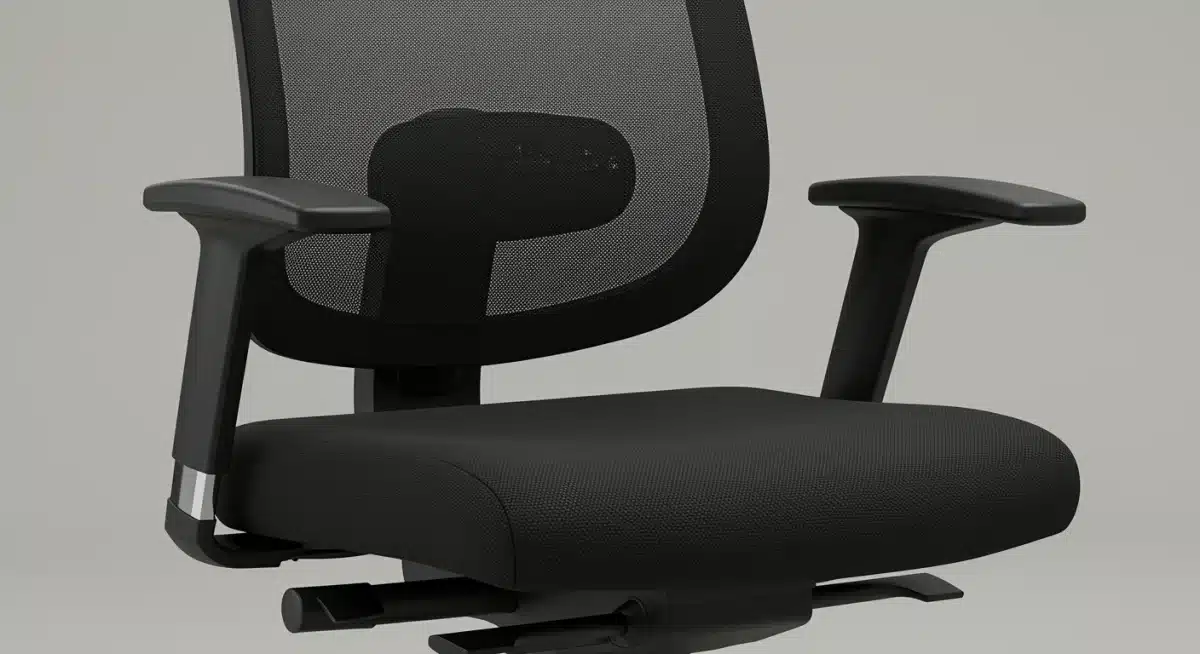
Lumbar Support: Contours to the natural inward curve of your lower back, reducing strain. This support should be adjustable both vertically and in depth.
Armrests: Should be adjustable in height and width, allowing your arms to rest comfortably at your sides, with elbows at a 90-degree angle.
Seat Depth: Ensures there are 2-4 inches between the edge of the seat and the back of your knees, preventing pressure on your thighs.
Backrest Recline and Tension: Allows you to lean back comfortably, reducing pressure on your spine, with adjustable tension to suit your preference.
Remember that even the best ergonomic chair won’t solve all problems if not used correctly. Take the time to adjust your chair properly and revisit these settings periodically as your needs or posture habits might change. A well-adjusted chair is your first line of defense against work-from-home back pain.
Optimizing Your Desk and Monitor Placement
Once you have an ergonomic chair, the next crucial step is to optimize your desk and monitor setup. The interaction between your chair, desk, and monitor dictates your overall posture and comfort.
A poorly arranged desk can negate the benefits of even the best chair, forcing you to lean, stretch, or twist in ways that strain your back and neck.
The primary goal is to create a seamless interface where your body remains in a neutral, relaxed position while interacting with your computer.
This involves careful consideration of desk height, monitor positioning, and the placement of essential accessories like your keyboard and mouse. Small adjustments in these areas can yield significant improvements in comfort and pain prevention.
Ideal Desk Height and Monitor Position
Your desk height should allow your arms to form a 90-degree angle at the elbow when typing, with your shoulders relaxed.
For many, a standard desk height might be too high or too low, necessitating adjustments or a standing desk option. If your desk isn’t adjustable, consider using a keyboard tray or risers for your monitor.
Desk Height: Should allow your forearms to be parallel to the floor when typing, with elbows at 90-100 degrees.
Monitor Height: The top of your screen should be at eye level. This prevents neck strain from looking up or down.
Monitor Distance: Position your monitor about an arm’s length away from your eyes to reduce eye strain and avoid leaning forward.
Multiple Monitors: If using two monitors, place the primary one directly in front of you and the secondary one beside it, angled slightly. If using both equally, center them both in front of you.
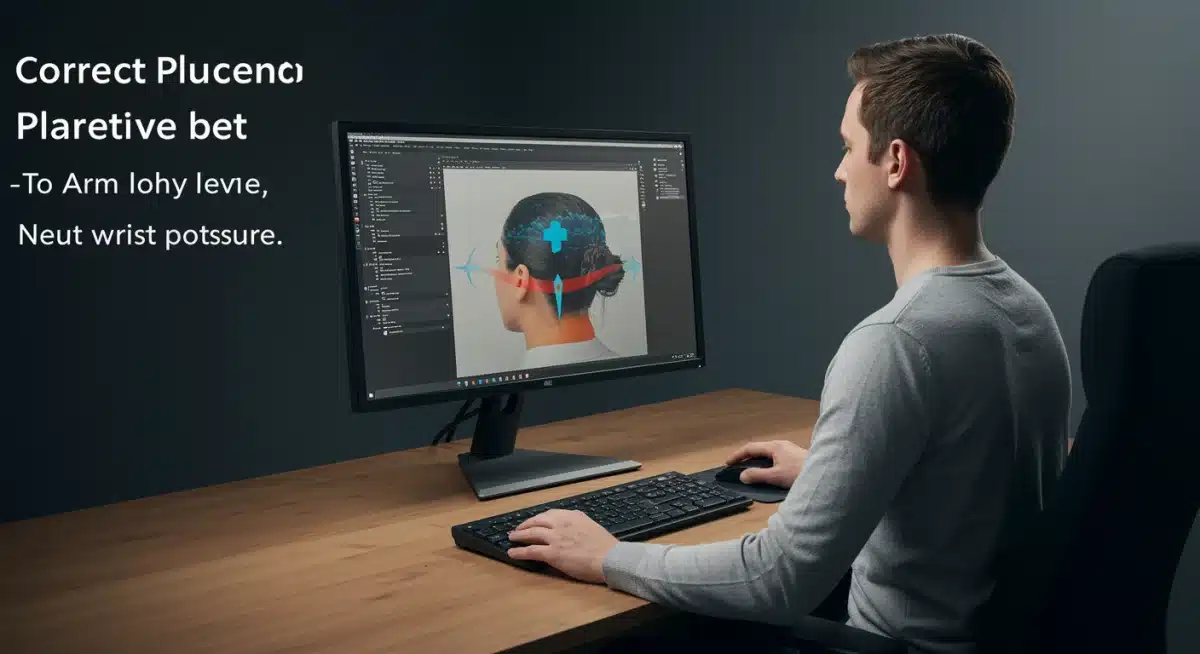
Additionally, ensure your keyboard and mouse are close enough to your body to avoid overreaching. A separate keyboard and mouse are almost always preferable to a laptop’s built-in options, as they allow for greater flexibility in positioning and promote neutral wrist postures.
These deliberate choices about your desk and monitor setup are instrumental in preventing back pain and fostering a healthier work-from-home environment.
The Importance of Proper Posture and Movement
Even with the most advanced ergonomic equipment, maintaining proper posture and incorporating regular movement breaks are paramount to preventing back pain.
Ergonomics provides the tools, but your conscious effort in using them correctly and actively engaging in healthy habits completes the picture. It’s a dynamic relationship between your environment and your body.
Many people mistakenly believe that once their workstation is set up, they no longer need to think about their posture.
However, even in an ideal ergonomic setup, static positions for extended periods can lead to discomfort. The human body is designed for movement, and prolonged sitting, regardless of how ‘ergonomic’ it is, can still contribute to muscle stiffness and reduced circulation.
Active Posture and Micro-Breaks
Active posture involves being aware of your body’s alignment throughout the day and making small, conscious adjustments. It’s not about being rigid but about finding a comfortable yet supported position that minimizes strain. Regular movement, even small stretches, can significantly alleviate tension.
Sit Tall: Imagine a string pulling the top of your head towards the ceiling, lengthening your spine.
Shoulders Relaxed: Avoid hunching; keep your shoulders down and back.
Feet Flat: Ensure your feet are flat on the floor or a footrest, with weight evenly distributed.
Regular Breaks: Every 30-60 minutes, stand up, walk around, and stretch for a few minutes.
Micro-Movements: Shift your weight, gently twist your torso, or roll your shoulders even while seated.
Incorporating micro-breaks and conscious postural awareness into your daily routine can dramatically reduce the risk of developing back pain. Set reminders on your phone or computer to prompt you to move.
These small, consistent efforts are far more effective than trying to correct severe pain once it has already set in. Prioritizing movement alongside an ergonomic setup is key to a pain-free work-from-home experience.
Incorporating Standing and Movement Solutions
While an ergonomic chair is vital, relying solely on sitting, even in the best chair, is not ideal for long-term spinal health. Integrating standing and movement solutions into your work-from-home routine offers a dynamic approach to preventing back pain and promoting overall well-being.
The goal is to alternate between sitting and standing, keeping your body engaged and reducing the detrimental effects of prolonged static postures.
Standing desks have become increasingly popular for this very reason, allowing you to easily switch between seated and standing work throughout the day.
However, even without a dedicated standing desk, there are creative ways to incorporate more movement and vary your posture, making your work-from-home setup healthier and more dynamic.
Dynamic Workstation Options
A dynamic workstation encourages movement and offers flexibility, reducing the strain associated with fixed positions. This can range from simple adjustments to more significant investments in specialized equipment.
Standing Desk Converters: These devices sit on top of your existing desk and allow you to raise your monitor and keyboard for standing work. They are a cost-effective alternative to full standing desks.
Adjustable Standing Desks: Offer the most flexibility, allowing you to effortlessly switch between sitting and standing with the push of a button.
Anti-Fatigue Mats: If you use a standing desk, an anti-fatigue mat can significantly reduce discomfort in your feet, legs, and back by providing cushioning and encouraging subtle movements.
Walking Pad or Desk Treadmill: For those looking to maximize movement, a walking pad under a standing desk allows for light walking while working, greatly increasing activity levels.
Remember that standing for too long without movement can also be detrimental. The key is alternation. Aim for a balance, perhaps standing for 20-30 minutes every hour or switching positions whenever you feel discomfort.
By actively integrating standing and movement solutions, you can create a truly proactive strategy for preventing back pain and enhancing your overall health while working from home.
Strengthening Exercises and Self-Care Practices
Beyond ergonomic equipment and conscious posture, a holistic approach to preventing back pain in your work-from-home setup includes regular strengthening exercises and dedicated self-care practices.
A strong core and flexible back muscles are your body’s natural armor against strain and injury, while self-care ensures you address tension before it escalates into chronic pain.
Many individuals overlook the importance of physical conditioning in conjunction with ergonomics. An ergonomic setup provides the optimal environment, but a body that is physically prepared to handle the demands of sitting and occasional strain will be far more resilient.
Incorporating simple exercises and mindful self-care can make a significant difference in your long-term spinal health.
Essential Exercises and Daily Habits
Focus on exercises that strengthen your core, glutes, and back muscles, as these collectively support your spine. Additionally, gentle stretching can improve flexibility and reduce stiffness. Consistency is more important than intensity when it comes to these practices.
Core Strengthening: Planks, bird-dog exercises, and pelvic tilts help stabilize your spine.
Glute Activation: Glute bridges and clam shells can prevent your hip flexors from becoming too tight, which often contributes to lower back pain.
Back Stretches: Cat-cow stretches, gentle spinal twists, and child’s pose can improve flexibility and relieve tension in the back.
Neck and Shoulder Rolls: Simple rotations and shrugs can alleviate tension that often radiates from the neck to the upper back.
Mindful Stretching: Incorporate short stretching sessions throughout your workday, especially during breaks.
Alongside physical exercises, prioritize hydration, as water is crucial for disc health. Practice stress-reduction techniques like deep breathing or meditation, as stress often manifests as muscle tension in the back and shoulders.
By combining ergonomic excellence with a routine of strengthening and self-care, you create a robust strategy for preventing back pain and fostering a truly healthier work-from-home lifestyle.
Beyond the Desk: Creating a Holistic Healthy Home Office
While the chair, desk, and monitor are central to an ergonomic work-from-home setup, a truly healthy home office extends beyond these core components.
It encompasses the entire environment, including lighting, air quality, and the psychological aspects of your workspace. Addressing these broader elements contributes to overall well-being, which in turn supports physical health and helps in preventing back pain.
A holistic approach recognizes that physical comfort is intertwined with mental clarity and environmental quality. A cluttered, poorly lit, or stuffy workspace can contribute to stress and fatigue, making you more susceptible to poor posture and physical discomfort.
Optimizing your entire home office environment creates a space where you can thrive, both physically and mentally.
Environmental Factors and Mental Well-being
Consider how your immediate surroundings impact your ability to work comfortably and without undue strain. Small changes in these areas can have a surprisingly large cumulative effect on your health.
Lighting: Ensure adequate, glare-free lighting. Natural light is best, but if unavailable, use adjustable task lighting to prevent eye strain, which can lead to leaning forward and neck pain.
Air Quality: Keep your workspace well-ventilated. Consider adding indoor plants, which can improve air quality and reduce stress.
Noise Control: Minimize distractions. Use noise-canceling headphones if necessary, or create a quiet zone to maintain focus and reduce stress-induced tension.
Decluttering: A clean and organized workspace can reduce mental clutter and stress, promoting a calmer environment conducive to good posture.
Personalization: Add elements that bring you joy or comfort, like photos or a favorite mug. A pleasant environment can positively impact your mood and motivation, reducing overall tension.
By taking a comprehensive view of your home office, you move beyond just preventing back pain to actively promoting a healthier, more enjoyable work experience
. This holistic approach ensures that every aspect of your work-from-home setup contributes to your long-term health and productivity, making your remote work life sustainable and comfortable.
| Key Ergonomic Tip | Brief Description |
|---|---|
| Ergonomic Chair | Invest in a chair with adjustable height, lumbar support, and armrests to maintain proper spinal alignment. |
| Monitor Placement | Position the top of your monitor at eye level and an arm’s length away to prevent neck and eye strain. |
| Regular Movement | Incorporate standing breaks and micro-movements every 30-60 minutes to reduce static load on your spine. |
| Strengthening & Self-Care | Engage in core-strengthening exercises and stress-reduction techniques to support overall spinal health. |
Frequently Asked Questions About Spine Health, Ergonomics, and Back Pain
What is the ideal sitting posture for protecting the spine?
The ideal sitting posture supports the natural curves of the spine, especially the lumbar (lower back) region. To maintain proper spinal alignment:
Keep your feet flat on the floor or on a footrest
Position your knees at about a 90-degree angle
Use lumbar support to maintain the natural inward curve of the lower spine
Relax your shoulders (avoid rounding forward)
Keep elbows at roughly 90 degrees with forearms parallel to the floor
Position your monitor at eye level to prevent forward head posture
Proper spinal positioning reduces pressure on discs, prevents muscle fatigue, and minimizes long-term strain.
How often should I take breaks to support my spine while working from home?
To protect your spine from prolonged compression and stiffness, movement is essential. Experts commonly recommend:
A short break (1–2 minutes) every 30 minutes
A longer movement break (5–10 minutes) every hour
During these breaks, stand up, stretch, walk briefly, or gently extend your spine. Alternating positions reduces static load on spinal structures and improves circulation, helping prevent discomfort and fatigue.
Do I really need an ergonomic chair to support my spine?
While you can improve spinal support with cushions or adjustments to a regular chair, an ergonomic chair is strongly recommended for long-term spine health. Ergonomic chairs are designed to:
Support natural spinal curves
Provide adjustable lumbar support
Allow seat height and armrest customization
Encourage neutral pelvic positioning
Because remote work often involves extended sitting, proper spinal support can significantly reduce the risk of chronic back pain and muscular imbalance.
Can standing desks eliminate spine-related back pain?
Standing desks can help reduce spinal stress by allowing you to alternate between sitting and standing. Changing positions prevents prolonged compression of spinal discs and reduces muscle fatigue.
However, standing all day is not ideal either. For optimal spine health:
Alternate between sitting and standing
Maintain neutral spine alignment in both positions
Wear supportive footwear
Continue strengthening and mobility exercises
A standing desk works best as part of a comprehensive spine-support strategy rather than a standalone solution.
What are some quick stretches to relieve spine tension at my desk?
Incorporating simple stretches throughout the day helps decompress the spine and reduce muscle tightness. Try:
Neck rolls: Gently release tension from the cervical spine
Shoulder shrugs and rolls: Improve upper spine mobility
Seated spinal twists: Promote thoracic rotation
Chest openers: Counteract rounded shoulders
Wrist and forearm stretches: Reduce upper body strain
Even brief stretching sessions improve circulation, restore spinal alignment, and help prevent stiffness.
Maintaining a healthy spine while working from home requires consistent awareness and practical ergonomic habits. By prioritizing spinal alignment, movement, and supportive equipment, you create a work environment that protects your back and enhances overall comfort and productivity.
Conclusion
Protecting your spine while working remotely is not a one-time adjustment but a continuous commitment to your long-term health. Creating a spine-friendly work-from-home environment requires intentional choices — from selecting ergonomic equipment to maintaining proper alignment throughout the day.
By optimizing your desk setup, supporting natural spinal curves, taking regular movement breaks, and incorporating exercises that strengthen core and back muscles, you actively reduce strain on your spine. Small daily habits, such as mindful posture correction and stretching tight areas, can prevent tension from accumulating and turning into chronic discomfort.
Prioritizing spine health does more than relieve back pain. It improves focus, increases energy levels, enhances breathing efficiency, and supports overall physical resilience. When your spine is properly aligned and supported, your entire body functions more efficiently.
Investing in a spine-conscious home office setup is ultimately an investment in productivity, comfort, and long-term well-being. With consistent attention and practical ergonomic strategies, you can create a remote work environment that supports both your performance and your health — every single day