DIY Home Safety 2025: Protect Your Space for Under $500
 Building a reliable and affordable DIY smart home security system for under $500 in 2025 is achievable by strategically combining budget-friendly smart devices, careful planning, and self-monitoring solutions.
Are you looking to enhance your home’s safety without breaking the bank? The idea of a secure home often brings to mind expensive professional installations and monthly fees. However, with careful planning and the right choices, a robust DIY smart home security system is entirely within reach, even for under $500 in 2025. This guide will walk you through the essential components, smart strategies, and budget-friendly options to protect your American property effectively.
understanding the DIY smart home security landscape
Embarking on a DIY smart home security project requires a foundational understanding of what’s available and how different components work together.
The market in 2025 is brimming with innovative, affordable devices that empower homeowners to take control of their security without professional help. It’s about selecting the right tools for your specific needs and integrating them seamlessly.
The beauty of a DIY approach lies in its flexibility and cost-effectiveness. Instead of a one-size-fits-all solution, you can customize your system to address your property’s unique vulnerabilities.
This often means prioritizing certain areas or types of threats, allowing you to allocate your budget most efficiently.
core components of a budget-friendly system
When planning your system, identify the core elements that offer the most significant impact for your investment. These typically include smart cameras, door/window sensors, and a central hub or smart assistant for integration.
Smart Cameras: Look for models offering 1080p resolution, night vision, and motion detection. Many affordable options now include two-way audio and cloud storage for recorded footage.
Door/Window Sensors: These are crucial for detecting unauthorized entry. Wireless, battery-powered sensors are easy to install and integrate with most smart home ecosystems.
Smart Doorbell: A smart doorbell provides a crucial first line of defense, allowing you to see and speak to visitors, even when you’re not home.
Understanding these basic components is the first step toward building a comprehensive and affordable security setup. By focusing on devices that offer multiple features and reliable performance, you can maximize your under-$500 budget.
Ultimately, a successful DIY smart home security system is one that you understand and can confidently manage. Taking the time to research and select compatible devices will save you time and money in the long run, ensuring peace of mind without the recurring professional monitoring fees.
strategic planning: assessing your home’s vulnerabilities
Before purchasing any equipment, a thorough assessment of your home’s vulnerabilities is paramount. Every property has unique entry points and potential weak spots. Identifying these will guide your equipment choices and placement, ensuring you get the most out of your budget for DIY smart home security.
Walk around your home, both inside and out, with a critical eye. Consider all ground-floor windows, easily accessible backdoors, and any areas that might be obscured from public view. Think like an intruder; where would you try to gain entry?
identifying key entry points and blind spots
Focus on areas that are most attractive to potential intruders. These often include front and back doors, ground-floor windows, and garage entrances. Don’t forget about less obvious points like basement windows or pet doors.
- Main Entrances: Prioritize smart doorbells and door sensors for your front and back doors.
- Ground-Floor Windows: Window sensors are essential here. Consider adding indoor cameras facing these windows if visibility allows.
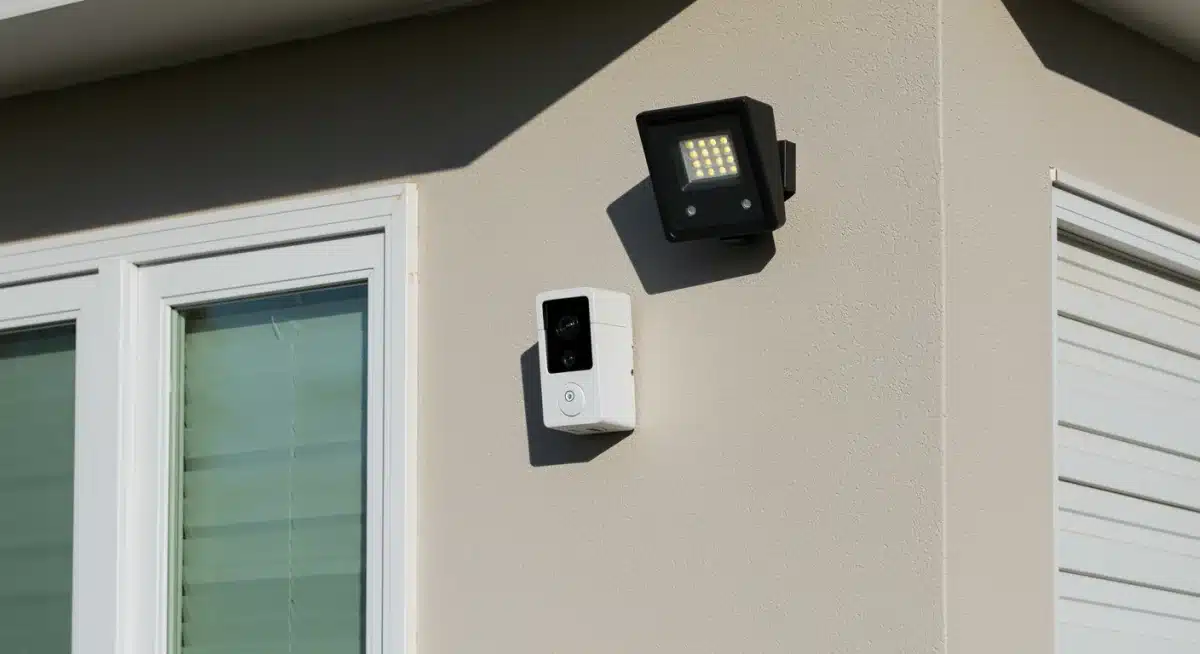
- Hidden Areas: Side yards, backyards, and areas with dense shrubbery might benefit from outdoor cameras with motion-activated lighting.
By pinpointing these critical areas, you can make informed decisions about where to deploy your limited budget. For instance, if you have a large, secluded backyard, an outdoor camera might be a higher priority than an additional indoor camera.
Effective placement of your chosen devices is just as important as the devices themselves. A camera pointing directly at a bright light source, for example, will be less effective. Always test the coverage and visibility of each device after installation to ensure optimal performance.
budget-friendly smart cameras and surveillance
Smart cameras are often the cornerstone of any effective DIY smart home security system. Advances in technology have made high-quality surveillance accessible and affordable, allowing homeowners to monitor their properties remotely without significant investment. The key is to find cameras that offer essential features without unnecessary premium costs.
When selecting cameras, prioritize features like 1080p HD resolution for clear images, reliable night vision, and motion detection with alerts. Many budget-friendly cameras now include two-way audio, which acts as a deterrent and allows for communication with visitors or intruders.
indoor and outdoor camera options under $100
Several brands offer excellent value for money in the sub-$100 category. These cameras often connect directly to your Wi-Fi and can be controlled via a smartphone app, eliminating the need for a separate hub for basic functionality.
- Indoor Cameras: Look for brands like Wyze, Blink Mini, or TP-Link Kasa. They provide live streaming, motion alerts, and often local storage options via microSD cards.
- Outdoor Cameras: Blink Outdoor, Wyze Cam Outdoor, and some Eufy models offer weather resistance, battery power for flexible placement, and robust motion detection for around $100 or less.
- Key Features to Look For: Beyond resolution, consider field of view, ease of installation, and subscription costs for cloud storage, if any.
Many of these cameras also integrate with popular smart home ecosystems like Amazon Alexa or Google Assistant, allowing for voice control and integration with other smart devices. This interoperability enhances the overall security experience without adding complexity.
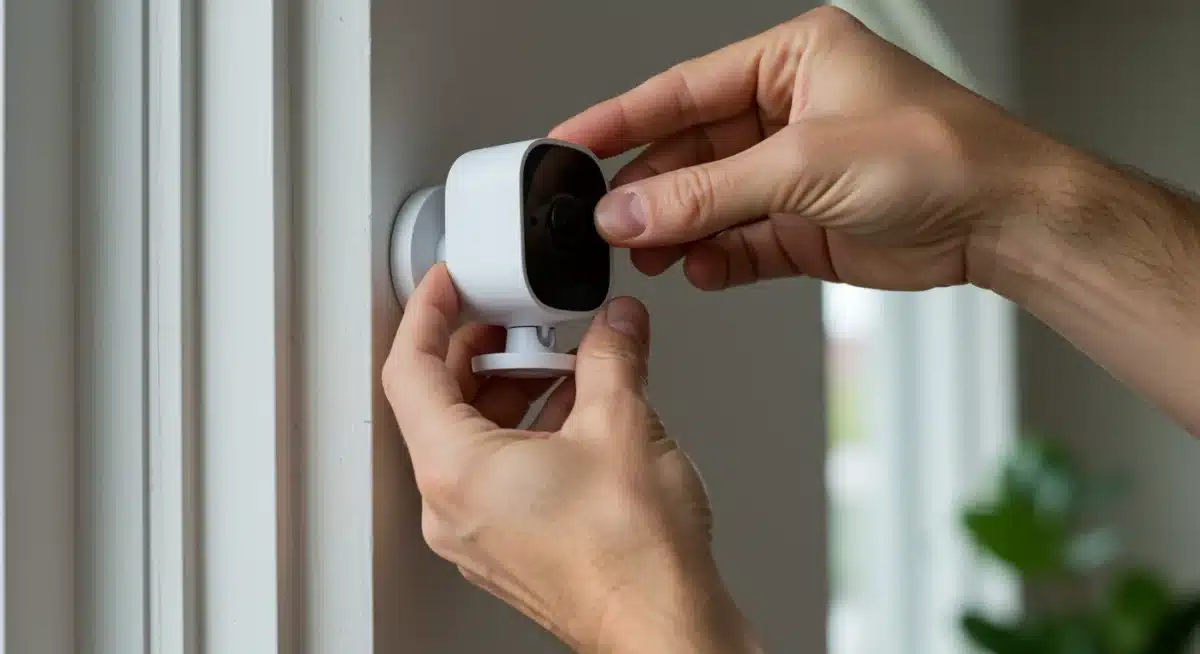
Choosing the right mix of indoor and outdoor cameras will provide comprehensive visual coverage. For instance, placing an indoor camera near a main entry point and an outdoor camera covering a backyard can create a powerful deterrent and recording system. Remember to check privacy settings and data security for any cloud-connected device.
door and window sensors: the first line of defense
Beyond cameras, door and window sensors are indispensable for a robust DIY smart home security setup. These small, unobtrusive devices provide immediate alerts when an entry point is breached, acting as a critical first line of defense against intruders. Their affordability and ease of installation make them perfect for a budget-conscious system.
Most door and window sensors operate on a simple magnetic contact principle. When the contact is broken (i.e., the door or window opens), an alert is sent to your smartphone or a connected hub. This instant notification allows you to respond quickly, whether by checking camera feeds or contacting authorities.
affordable and easy-to-install options
The market offers numerous wireless door and window sensors that are incredibly simple to install, often requiring nothing more than adhesive backing. These battery-powered devices typically last for months or even years on a single charge, minimizing maintenance.
- Standalone Sensors: Brands like Aqara, Ring Alarm Contact Sensor, or Ecolink offer individual sensors that can connect to a compatible smart home hub or directly to some smart assistants.
- Bundle Packs: Many security brands offer starter kits that include a hub and several door/window sensors, often providing better value than purchasing items individually.
- Integration: Ensure your chosen sensors are compatible with your existing or planned smart home ecosystem (e.g., Zigbee, Z-Wave, Wi-Fi).
The strategic placement of these sensors is key. Cover all ground-level windows, entry doors, and any other vulnerable access points. Don’t overlook garage doors or basement windows, which are often targets for discreet entry.
Combining door and window sensors with smart cameras creates a layered defense. If a sensor is triggered, your cameras can automatically begin recording and send you a notification, providing visual verification of the event. This synergy enhances your home’s overall security posture significantly.
smart lighting and automation for added security
Smart lighting and home automation are often overlooked but incredibly effective components of a DIY smart home security system. Beyond convenience, these features can deter potential intruders by making your home appear occupied, even when it’s not.
The psychological impact of an active home can be a powerful deterrent.
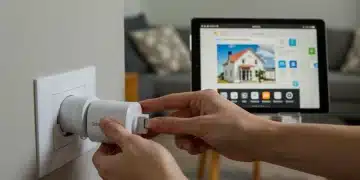
Smart bulbs and plugs allow you to control lights and other appliances remotely or schedule them to turn on and off at specific times.
This functionality mimics human presence, making your home less appealing to those looking for an easy target. Moreover, motion-activated smart lighting around the exterior can startle and expose intruders.
creating a ‘lived-in’ look and deterring intruders
Implementing smart lighting doesn’t require a huge investment. A few smart bulbs or smart plugs strategically placed can make a significant difference. Look for Wi-Fi-enabled options that don’t require a separate hub, further saving costs.
Interior Lighting: Schedule lights in different rooms to turn on and off at varying times throughout the evening. Use smart plugs for lamps that don’t use smart bulbs.
Exterior Lighting: Install motion-activated smart floodlights or pathway lights. These can be integrated with your smart cameras to activate recording upon motion detection.
Smart Plugs for Appliances: Use smart plugs to turn on a radio or TV periodically, adding ambient noise that suggests occupancy.
Many smart lighting systems integrate with smart assistants like Amazon Alexa or Google Assistant, allowing for easy scheduling and voice control. Some even offer vacation modes that randomize light schedules for a more natural effect.
The cost-effectiveness of smart lighting makes it an excellent addition to any budget-friendly security setup. For a relatively small investment, you gain an active deterrent that works 24/7, making your home less vulnerable and adding another layer of protection to your DIY smart home security strategy.
integrating components and self-monitoring solutions
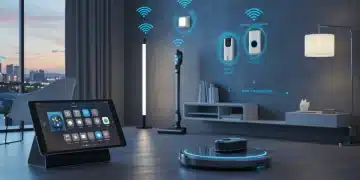
The true power of a DIY smart home security system lies in its integration and your ability to self-monitor. Connecting various smart devices allows them to work in concert, creating a more comprehensive and responsive security network.
Self-monitoring, enabled by smartphone apps, eliminates recurring professional monitoring fees, keeping your system under the $500 budget.
Most modern smart devices are designed for easy integration, often through a central smart home hub or directly via Wi-Fi and a common app.
This interconnectedness means that a trigger from one device, like a door sensor, can activate another, such as a camera or smart light.
the role of smart hubs and smartphone apps
While many devices can function independently, a smart hub can streamline control and enable more complex automations. However, for a budget under $500, relying on devices that connect directly to your Wi-Fi and use a single, unified app is often the most cost-effective approach.
Smartphone Apps: Your smartphone becomes the command center. Most smart security devices come with their own dedicated apps, but many also integrate with broader smart home platforms like Google Home, Amazon Alexa, or Apple HomeKit.
IFTTT (If This Then That): This free web service allows you to create custom automations between different smart devices, even if they aren’t from the same brand. For example, ‘If door sensor opens, then turn on living room light.’
No Monthly Fees: Self-monitoring means you receive alerts directly on your phone and are responsible for contacting emergency services if needed. This saves significant money compared to professional monitoring subscriptions.
Setting up automation rules is crucial. For instance, you can configure your system so that if a motion sensor detects movement after midnight, an outdoor light turns on, and an alert is sent to your phone with a live camera feed. This proactive approach significantly enhances your response capabilities.
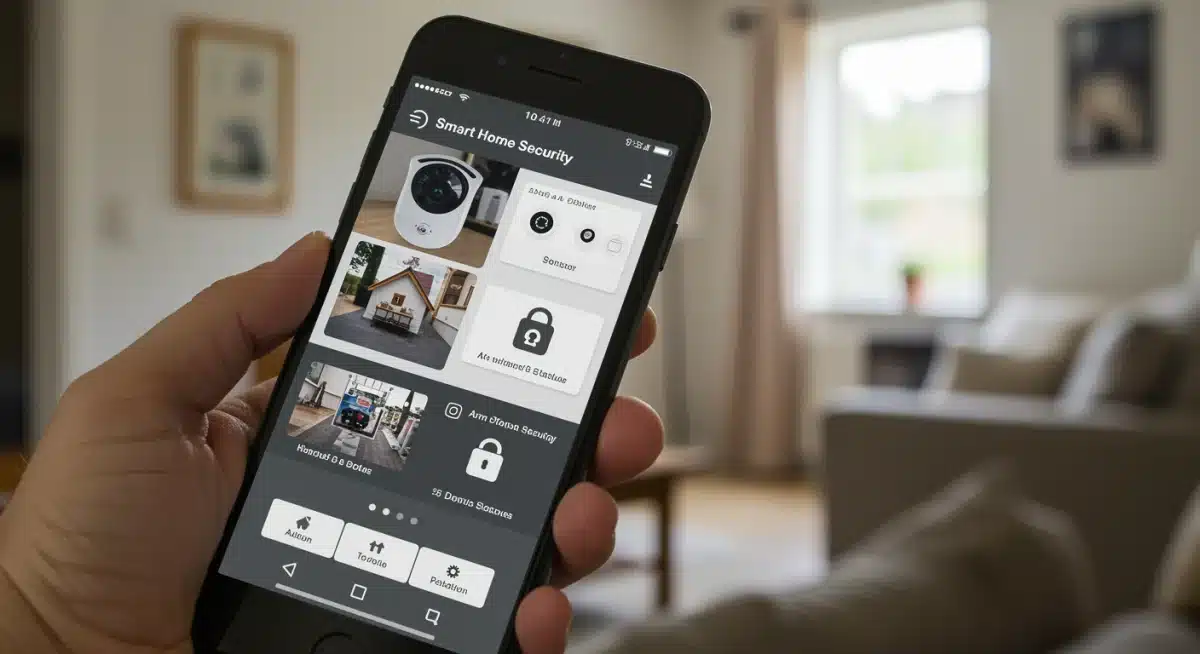
Regularly testing your integrated system is also important to ensure all components are communicating effectively and that alerts are being sent reliably. A well-integrated and self-monitored DIY smart home security system provides robust protection without the recurring costs, making it an ideal choice for budget-conscious homeowners in 2025.
Maintaining and Upgrading Your DIY Security System
Once your diy smart home security system is installed, ongoing maintenance and strategic upgrades become essential to keep it performing at its best.
A diy setup offers flexibility, but it also requires periodic attention to ensure long-term reliability and protection.
Technology evolves quickly, and staying updated on new diy security devices can help you enhance your system without dramatically increasing your original budget. Simple upgrades—like adding new sensors, improving camera resolution, or integrating better automation—can significantly boost your home’s security posture.
Maintenance for most diy security components is simple and user-friendly. Key tasks include checking battery levels, confirming stable network connectivity, and ensuring all devices receive timely firmware updates.
These quick diy steps help prevent system failures, reduce vulnerabilities, and keep your home continuously protected.
tips for longevity and future enhancements
Proactive maintenance can extend the life of your devices and optimize their performance. Don’t wait for a problem to arise; incorporate these checks into your routine.
- Battery Checks: Most wireless sensors and battery-powered cameras will alert you when batteries are low, but it’s good practice to check them periodically, especially before extended trips.
- Firmware Updates: Device manufacturers frequently release firmware updates that improve performance, add new features, and patch security vulnerabilities. Always install these updates promptly.
- Network Stability: A strong and stable Wi-Fi connection is crucial for smart home devices. Consider optimizing your Wi-Fi router placement or upgrading to a mesh network if you experience connectivity issues.
When it comes to upgrading, think incrementally. Instead of replacing your entire system, identify areas where a small addition could significantly boost security.
For example, adding a smart lock to a back door or a smart smoke detector could be your next enhancement.
Keep an eye on sales and new product releases from budget-friendly brands. The market for affordable smart home security is highly competitive, meaning better features at lower prices are constantly emerging.
By staying engaged and performing regular maintenance, your DIY smart home security system will continue to provide reliable protection for years to come, all while adhering to your initial budget goals.
| Key Component | Budget-Friendly Solution |
|---|---|
| Cameras | Wyze Cam, Blink Mini (under $100 each for 1080p, night vision, motion alerts). |
| Sensors | Aqara, Ring Alarm Contact Sensors (wireless, easy install, affordable multi-packs). |
| Smart Lighting | Smart bulbs (TP-Link Kasa) or smart plugs (Gosund) for presence simulation. |
| Integration | Smartphone apps (Google Home, Alexa), IFTTT for custom automations, self-monitoring. |
Frequently asked questions about DIY smart home security
Yes, absolutely. By focusing on essential components like smart cameras, door/window sensors, and smart lighting, and opting for self-monitoring, you can build a highly effective system.
Strategic placement and proper integration maximize the deterrent and detection capabilities within a $500 budget, offering significant peace of mind.
Prioritize smart cameras (at least one indoor and one outdoor), and a set of door/window sensors for key entry points. A smart doorbell is also a highly recommended first line of defense.
These items provide crucial detection and visual verification, forming the core of any robust security setup.
Not necessarily. Many modern smart security devices connect directly to your Wi-Fi and are managed via their respective smartphone apps. While a hub can offer enhanced integration for complex setups, it’s often an optional purchase that can be bypassed to stay within a $500 budget, especially for initial setups.
Smart lighting deters intruders by creating the illusion of occupancy. Scheduling lights to turn on and off at various times, or using motion-activated exterior lights, makes your home appear active.
This simple yet effective strategy can significantly reduce the appeal of your property as a target for potential break-ins.
For a self-monitored DIY system, ongoing costs are minimal. They primarily include potential cloud storage subscriptions for camera footage (often optional or very affordable), and replacement batteries for wireless sensors.
By avoiding professional monitoring services, you significantly reduce recurring expenses, making it highly budget-friendly.
DIY Conclusion
Building a comprehensive diy smart home security system for under $500 in 2025 is entirely achievable for American homeowners.
With thoughtful planning and the right combination of budget-friendly smart cameras, door and window sensors, and smart lighting—all connected through self-monitoring apps—you can create a strong, reliable defense for your property without professional installation.
The power of a diy system lies in understanding your home’s vulnerabilities, choosing affordable technology that works together seamlessly, and customizing each component to suit your needs.
With a little effort and informed decision-making, enhanced safety and lasting peace of mind become accessible to anyone.
This diy approach proves that effective home protection doesn’t require a high price tag—just smart choices, creativity, and the willingness to take control of your own security setup.